

Paramètres de campagne Bing Ads
Chaque campagne publicitaire possède un menu de paramètres distinct.
Vous trouverez ici des informations telles que la programmation des annonces, les emplacements, le nom du groupe d'annonces, ainsi que la possibilité d'ajouter ou de supprimer des sites web et des adresses IP.
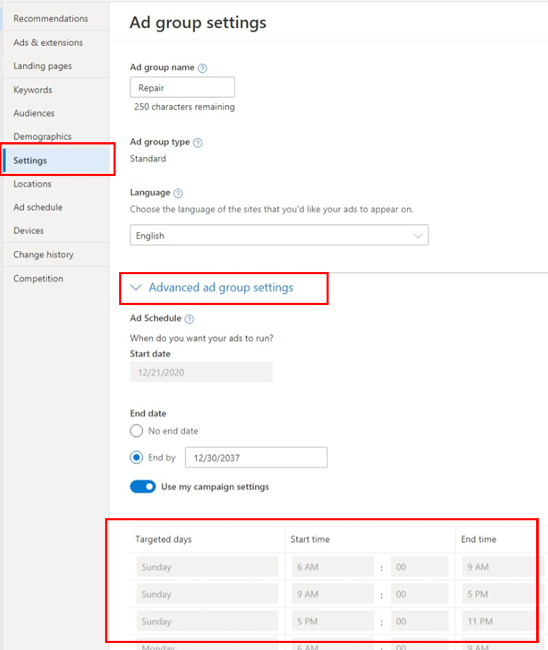
Lorsque vous accédez pour la première fois au menu des paramètres de campagne publicitaire, vous verrez le nom, le type, la langue et la planification de la campagne. Les budgets publicitaires s'afficheront ici lorsque la campagne sera active. Vous pouvez modifier ces paramètres si nécessaire. Les paramètres de planification de ce menu correspondent à ceux définis dans une autre section du tableau de bord de la campagne.
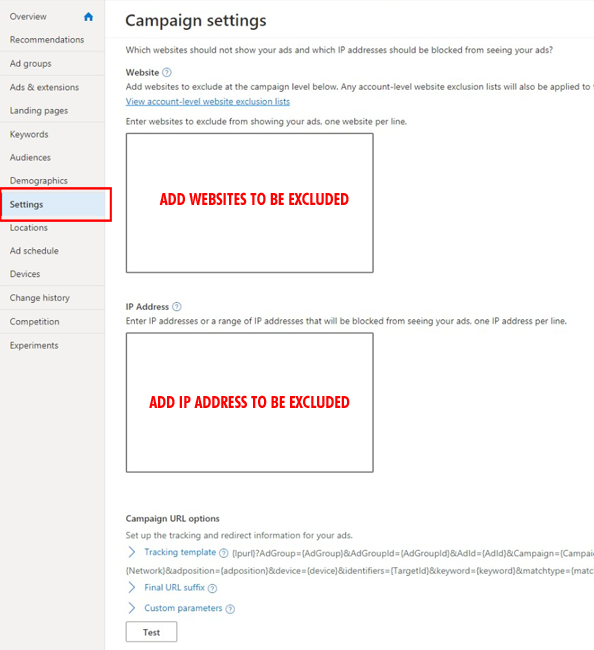
Les paramètres de votre campagne publicitaire vous permettent d'ajouter un lien de modèle de suivi, ainsi que des suffixes d'URL et d'exclure des sites web et des adresses IP. Ces éléments déterminent l'emplacement d'affichage de vos annonces. Par exemple, pour bloquer la diffusion de vos annonces depuis un site web spécifique, vous devez indiquer son domaine et son adresse IP ici.
Cibles de localisation
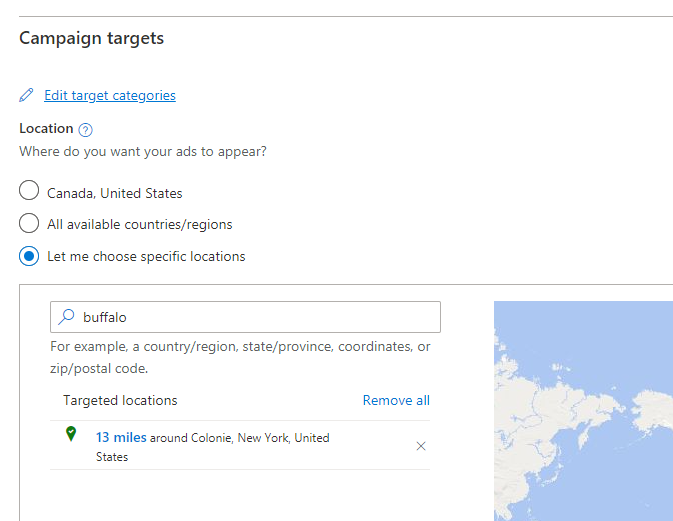
Tous les ciblages géographiques des campagnes publicitaires sont ajoutés dans cette partie du menu des paramètres. Vous devrez saisir le nom de la zone géographique où les annonces seront diffusées.
Une fois que vous aurez saisi « Buffalo », par exemple, les lieux associés s'afficheront dans un menu déroulant. Le gestionnaire de campagnes publicitaires vous permettra de consulter les zones ciblées à deux endroits. Lorsque vous ajoutez un lieu, vous serez systématiquement redirigé vers cet emplacement pour définir les cibles géographiques de chaque campagne publicitaire.
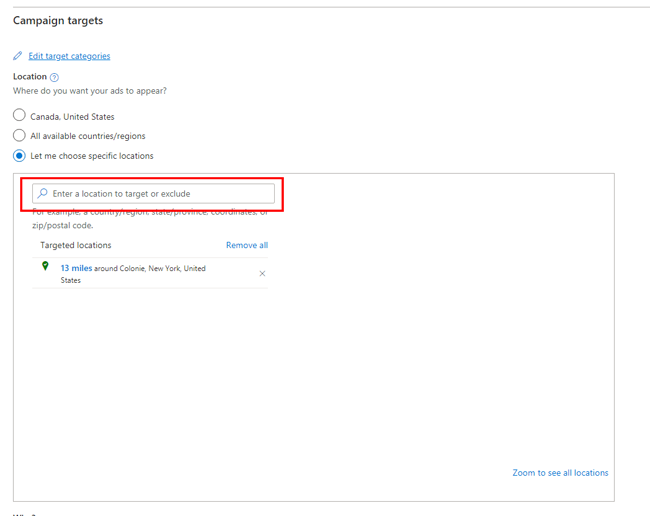
Pour cibler ou exclure une zone géographique spécifique, cliquez sur « Cibler » ou « Exclure ». Vous pouvez définir un rayon précis autour de la zone de ciblage de vos annonces.
Zone de service
La zone de desserte ne doit pas dépasser 30 à 35 kilomètres de rayon autour du centre-ville. Une ville plus petite aura une zone de desserte plus réduite, compte tenu du nombre d'habitants. Le temps de trajet maximal depuis le lieu ajouté ne doit pas excéder 2 heures ou 120 kilomètres aller-retour entre le domicile et le bureau.
Quelques liens utiles
Comment cibler les clients (microsoft.com)
Recommandations de ciblage géographique intégrées (microsoft.com)
Découvrez la provenance du trafic publicitaire grâce au rapport géographique (microsoft.com).
Comment créer une campagne d'audience ? (microsoft.com)
Comment créer une campagne d'annonces de recherche ? (microsoft.com)