
Nextdoor: Szponzorációk kezelése

Terv kezelése
Purchase and manage your business sponsorships.
Once you log in to Nextdoor, the dashboard will appear, the first thing you see is your plan manager. You can upgrade your account to sponsor a zip code, the sponsor-ships will appear in this space. Nextdoor only allows a number of sponsors in one zip code. If you are interested in sponsoring a zip code, click on the “See Pricing” button to go to the sponsorship page.
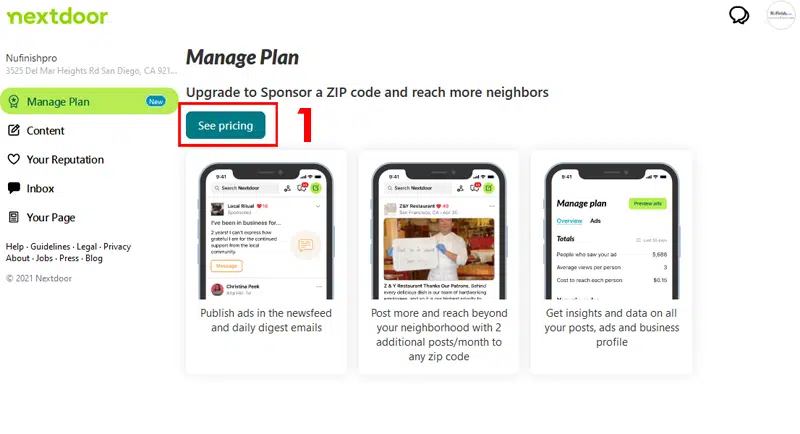
Ajánlatot tesz
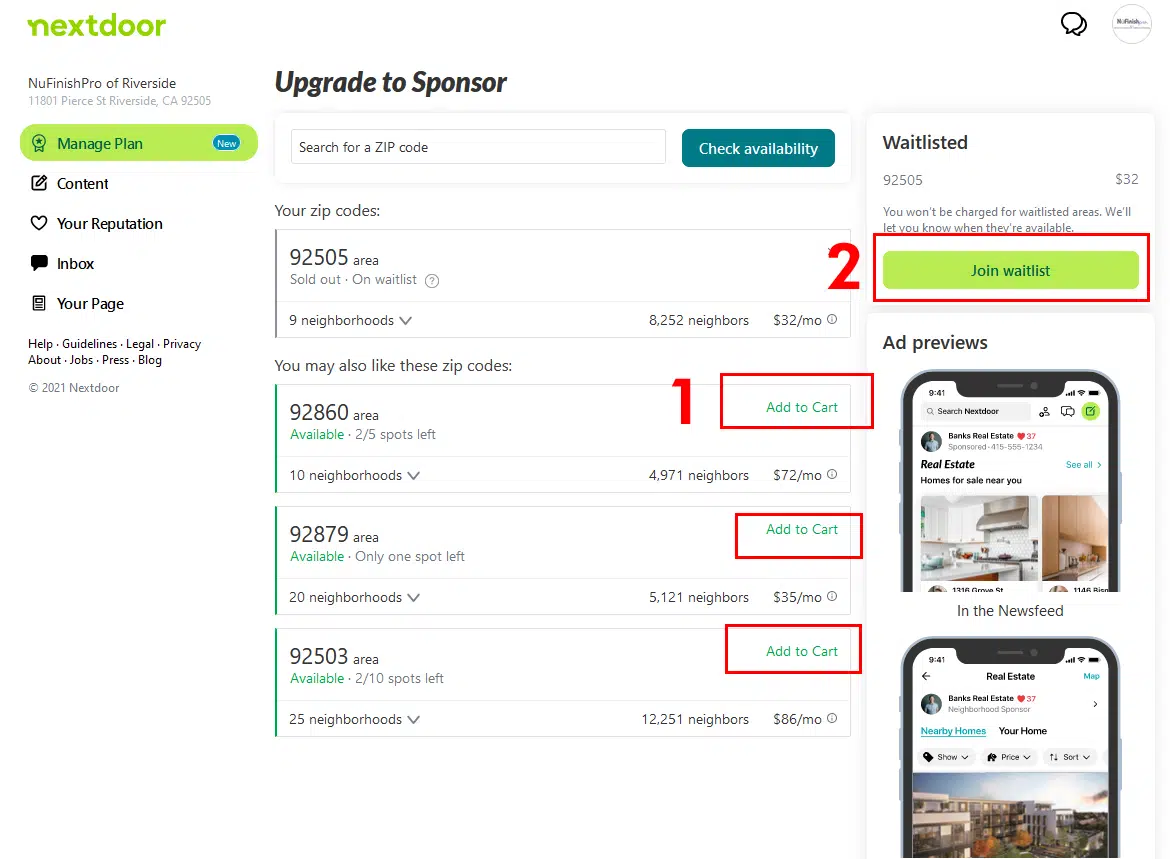
To bid on a zip code, enter the desired zip code number into the “Upgrade to Sponsor” text field to search for a zip code to sponsor. Then, click on check availablility. An open sponsor-ship will then be added to your cart. After that, Nextdoor will let you know if the zip code is available to be sponsored. Otherwise, you can remove the sponsorship by clicking on the small “X” on the top right had corner of the information block.
The waiting list
There are times when zip code advertising spaces get sold out. If you like, you can get on a waiting list to sponsor the zip code when a space becomes available. Clicking on the “Join waitinglist” button to be added to the waiting list. Plus, all near by zip codes that are close to your business location are listed. Nextdoor tells you how much each month the sponsor-ship will cost with a price in the bottom right corner of the info block. Additional sponsor-ship spaces will be indicated next to the green “Available” with a number for the spots left, and the total spots available.
Purchase a sponsor ship
Other information on the information block includes the number of neighborhoods in the Zip Code and the number of neighbors in the specific neighborhood. If you are interested in purchasing a sponsorship click on the “Add to Cart” button to add the sponsor-ship to the shopping cart.
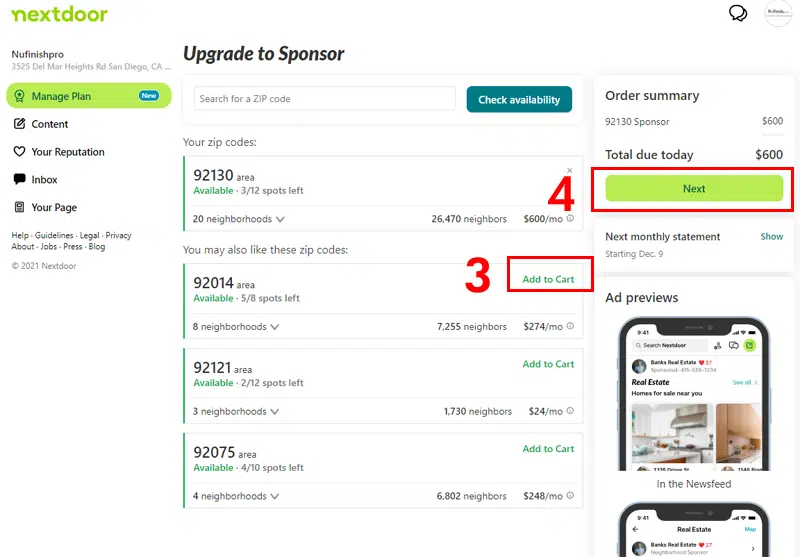
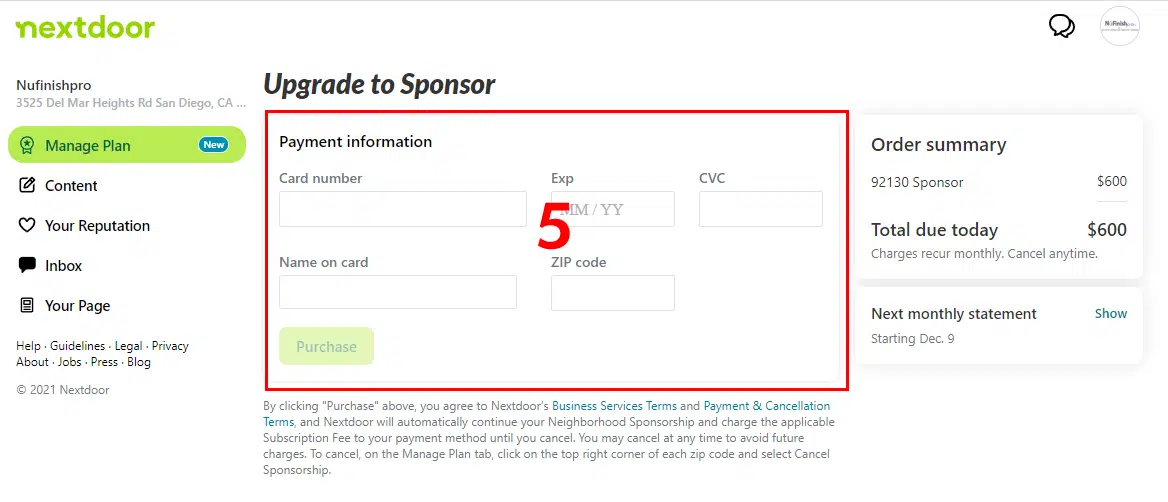
After you are ready to make your purchase, click on the “Next” button to go to the checkout page. You will need to enter your credit card information and click on the “Purchase” button to complete the transaction. Once the purchase is complete, your sponsor-ships will appear in the “Manage Plan” page. You will be able to track the progress of your sponsor-ship once you have purchased it.
Hasznos Linkek
Hirdetési irányelvek
https://help.nextdoor.com/s/article/Offers-rules-best-practices-official