
Important: Conversion information
GoDaddy is in the process of converting our Workspace Email accounts to Microsoft 365 email accounts. The data migration to Microsoft 365 will be finished sometime in Mid-November. From that point onward, we will need to change the setup of all email accounts.

Apple Mail Setup
Setting up an email account on an Apple desktop computer or laptop.
Setting up an email account on Apple mail is easy, all you have to do is manually add the email settings to the Apple Mail set up wizard. Once you have successfully added the email account settings, Apple Mail will start to download the emails from the account. You will need to go into the Apple Mail application to set up an email account, please follow the instructions below.
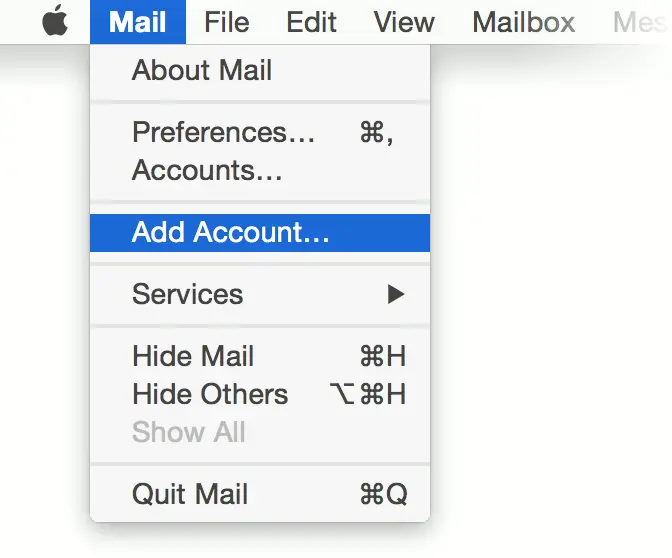
1. Launch Mail.
2. If the Welcome to Mail window does not display, select Add Account from the File menu.
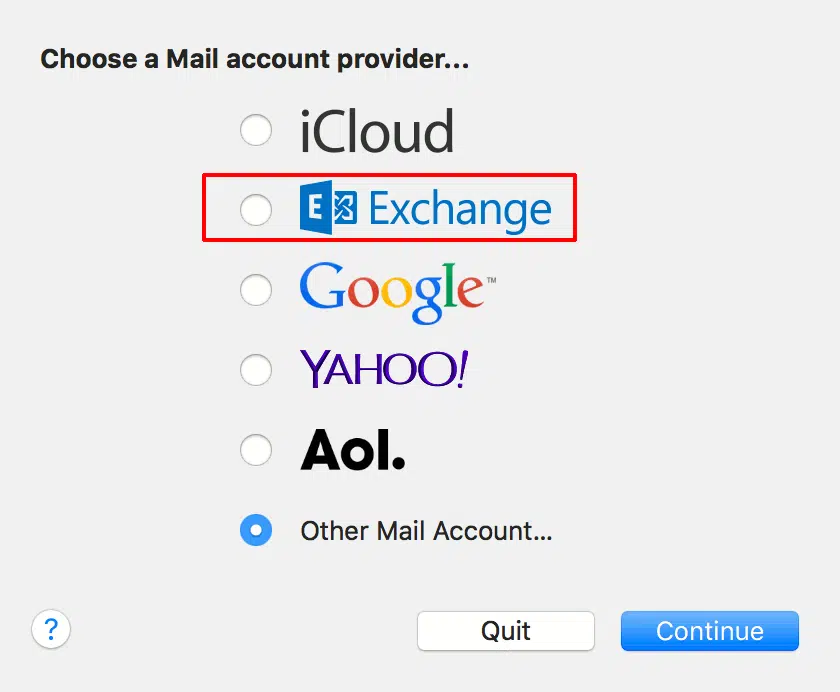
3. Choose Microsoft Exchange
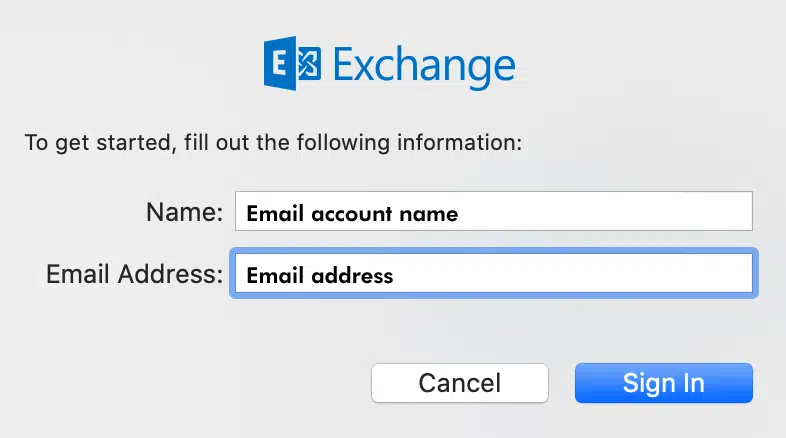
4. Add email account information
Name — The name to display on your email account.
Email Address — Enter the email address, for example support@nufinishpro.com
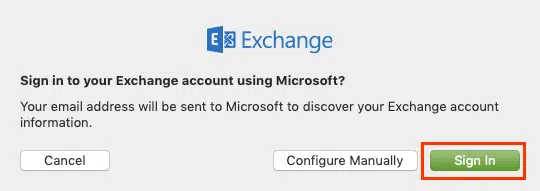
5.Click on the second button to Sign In to an existing account.
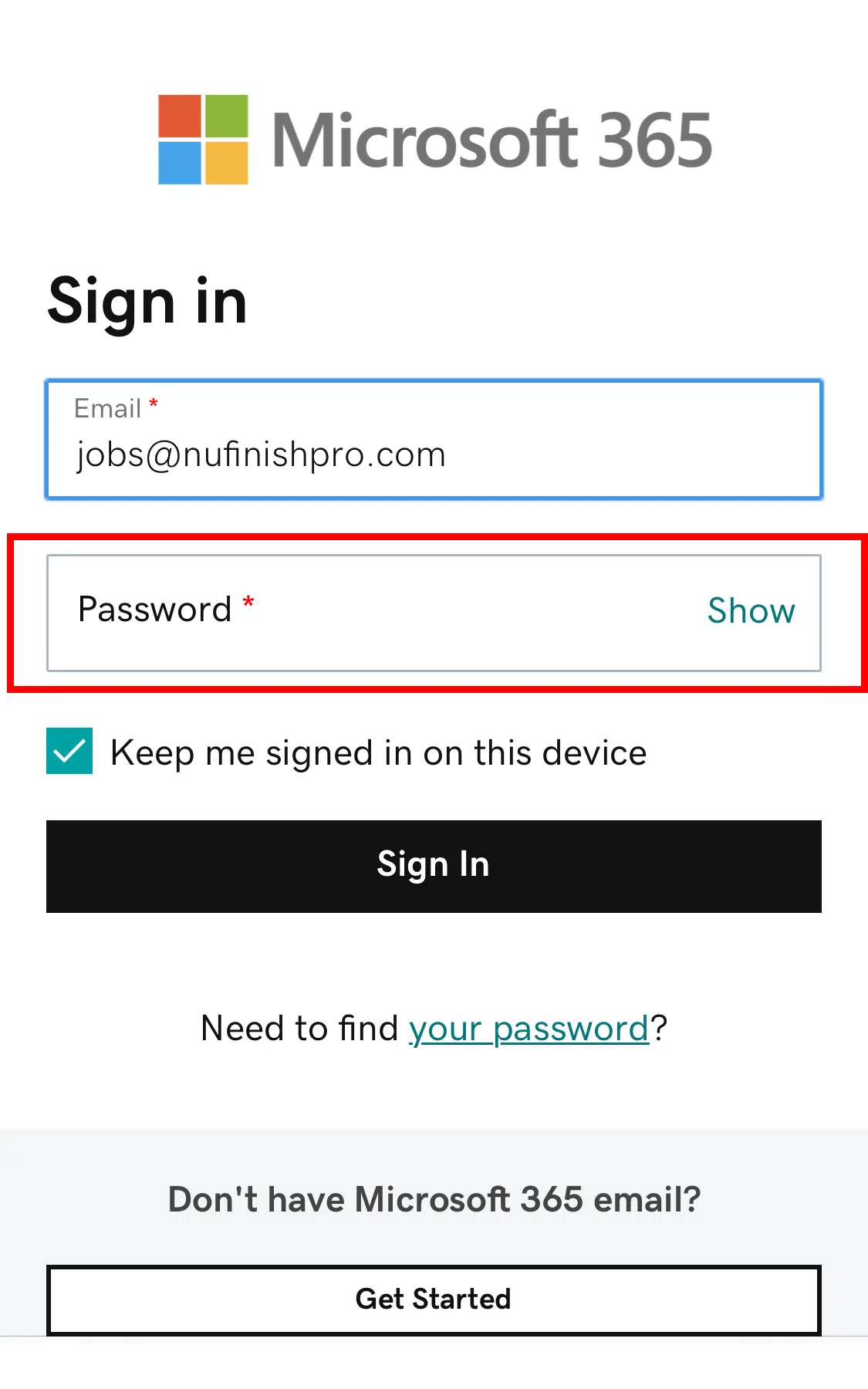
6. The email account you previously entered should be visible. Next enter the password for your email account. Click on Sign In when you are done.
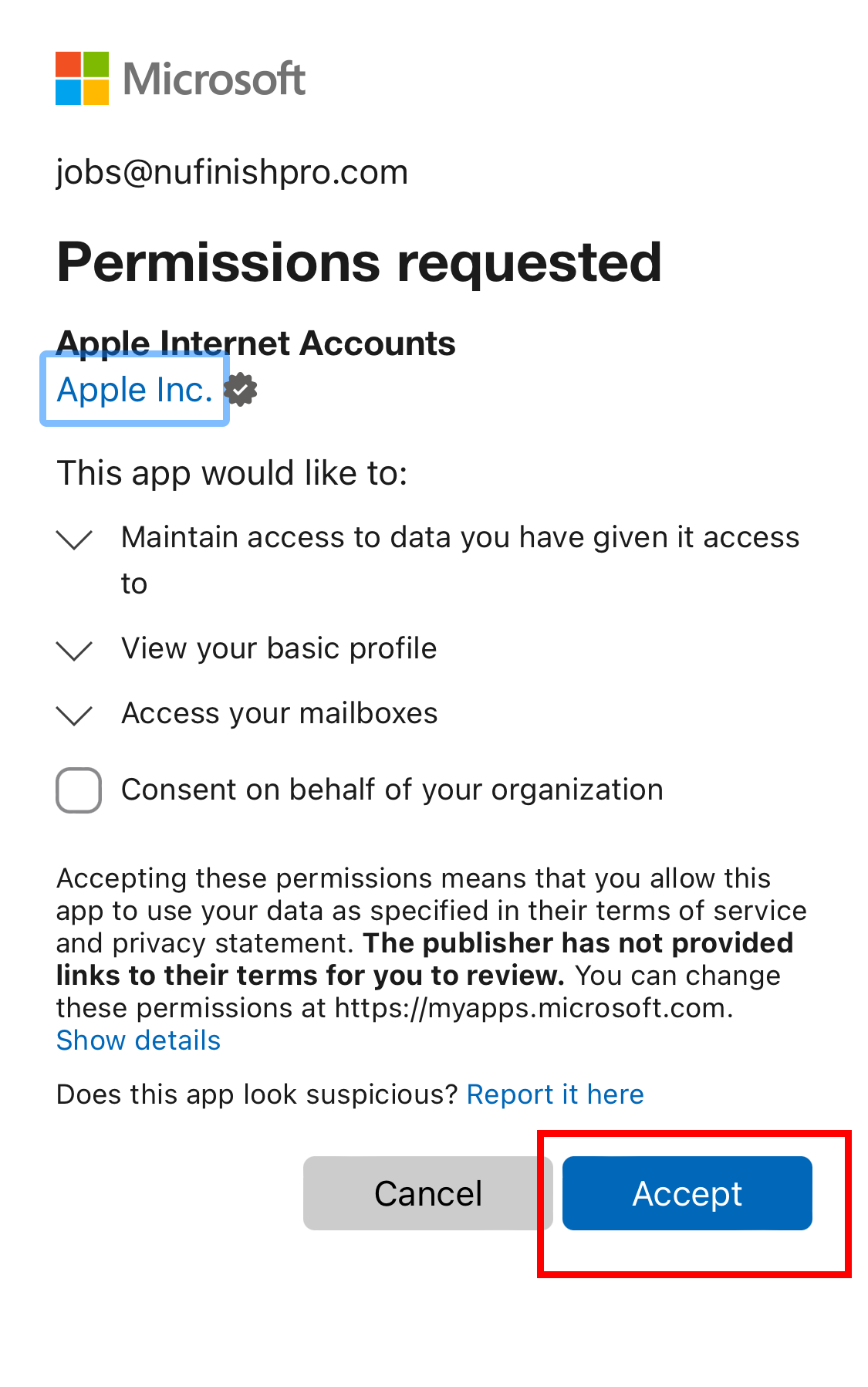
7. The app will ask for permission to Access your email account. Select accept to give Apple Mail permission.
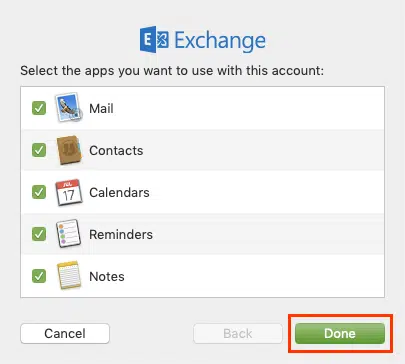
8. Then click on done to finish the email account setup.
Unable to log in and you see a red box.
After you fail to log in too many times, an alert will appear to prompt you to wait 10 minutes before trying to log in again. This means there are too many failed log-in attempts. Microsoft will monitor the number of attempts to log in. Too many login attempts will trigger a lockout.
Follow the instructions in the red box above the login fields. Wait until the timer has finished its count down. Then try to log in again. The logo and text will change depending on the device you use, but the alert information and steps are the same.
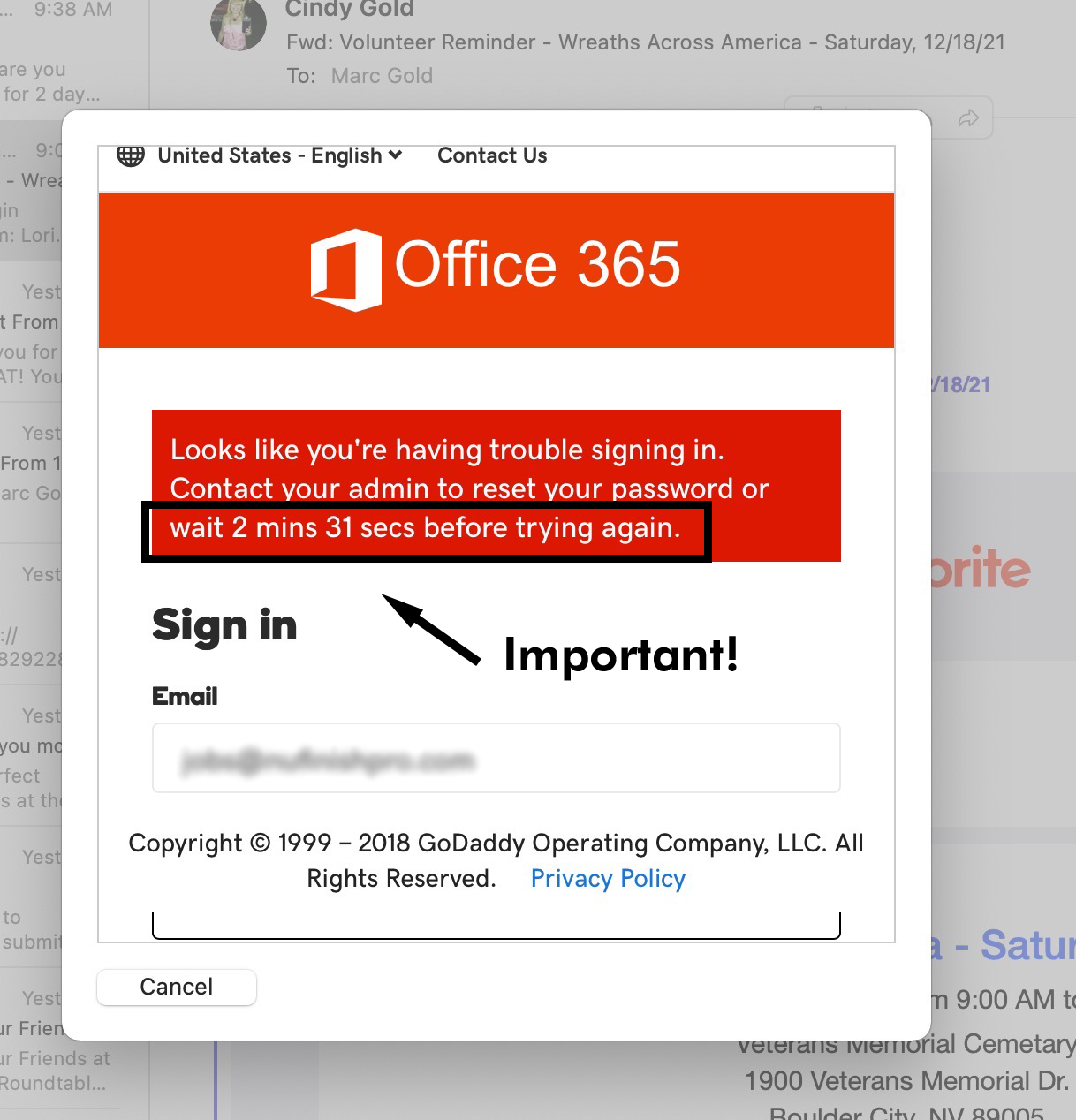
Before trying to log in again, watch the counter. When the counter is finished counting down, the red box should disappear.
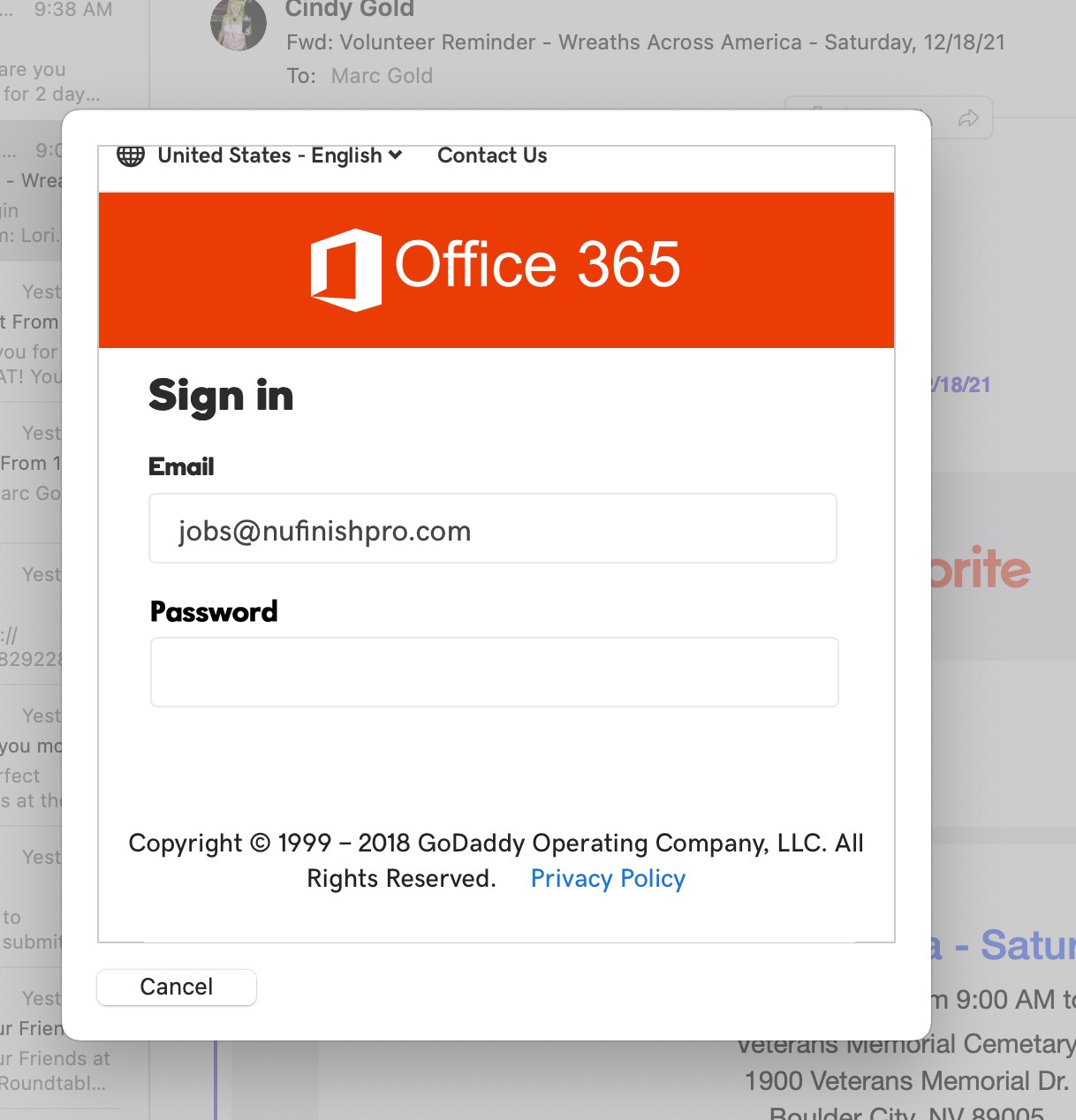
Log in again by entering the password.