
NuFinishPro Location Page and Google Ads
All of the franchise locations in NuFinishPro have a location page. The page provides some information about the business including the contact information of the local business. A visitor can request a work quote by phone or by email. Google Ads, Google Business Profiles, Bing Places, Bing ads, and the location information on Google and Bing maps will link the location page. All Links in this doc are up to date as of 7/31/2020
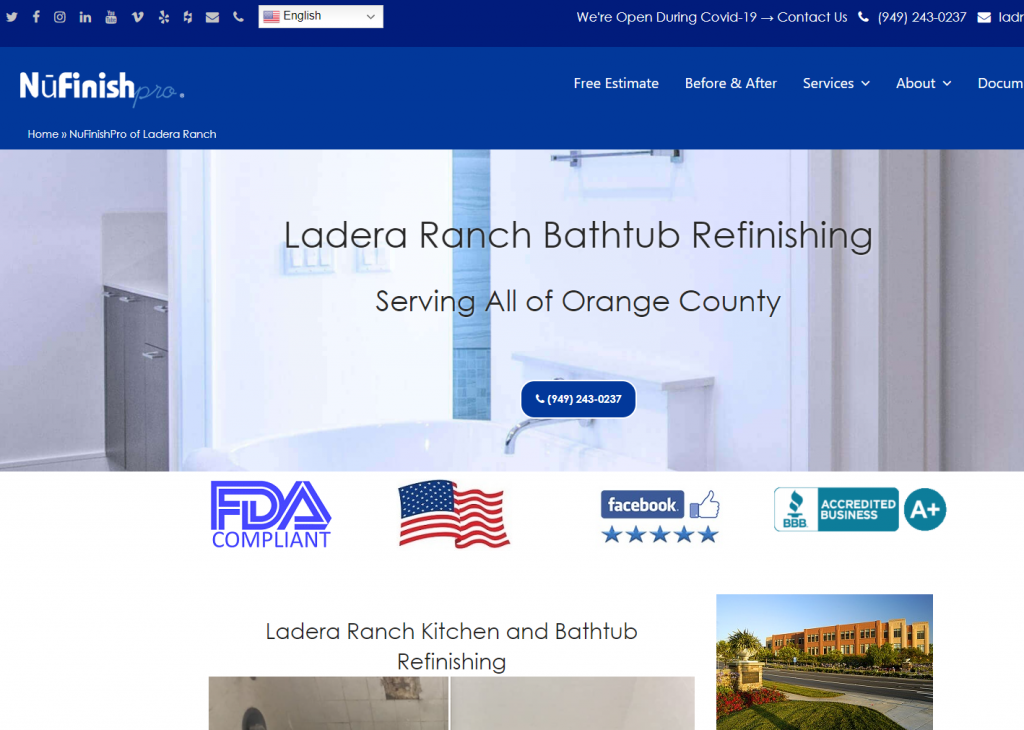
NuFinishPro Location Page
All location pages have a common design, all location pages have similar content. The location information, contact information, email address, and phone number are all unique to each location. The contact information on the location page needs to match Google Business Profiles. Your email address and the phone number need to match the information on the location page, and contact page.
Location URLs structure
Location page URLs setup as follows, “domain/location name”, i.e. https://nufinishpro.com/sacramento. All NuFinishPro online ads, online profiles, and location-related social media links should be directed to this page. Each NuFinishPro Location has a location page assigned to it.
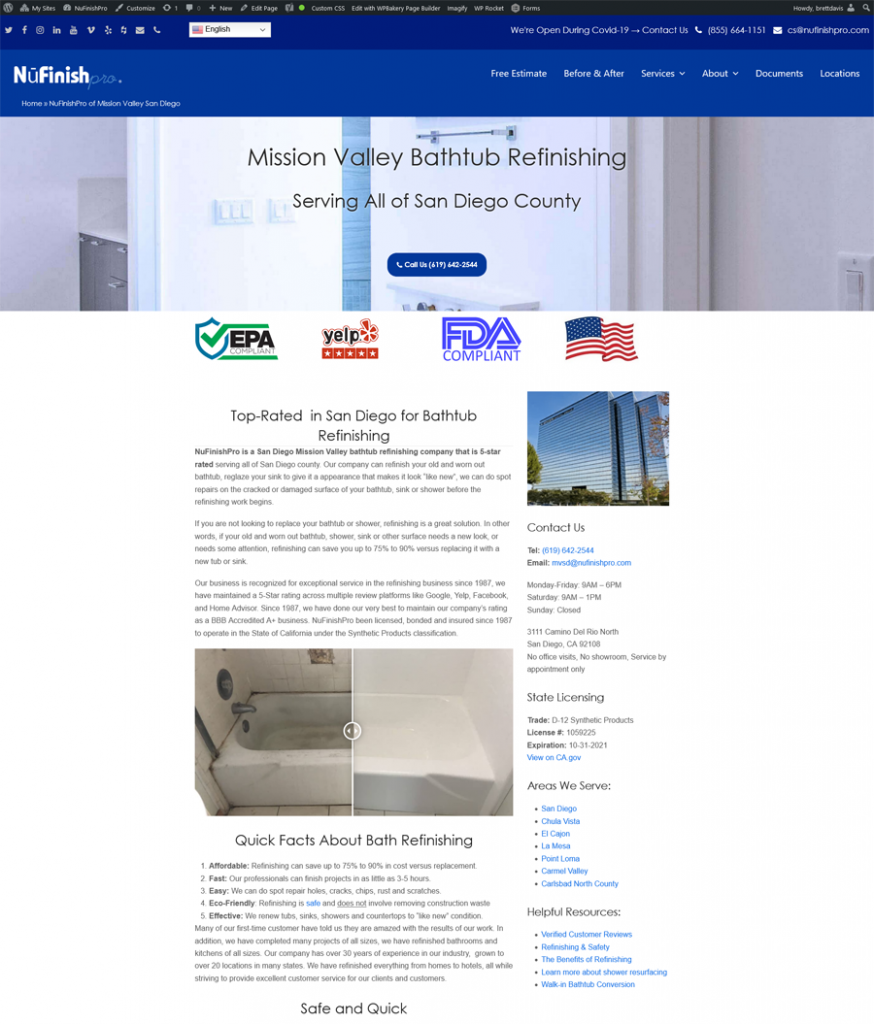
Images used on the page
The content on the landing page has limited customization. Google wants all text content on the site to be unique for each location. All location pages have a large image is at the top of each location page. We will need to find a unique image for the top of the page. NuFinishPro has included before and after images from the work that we have done over the years on all locations pages.
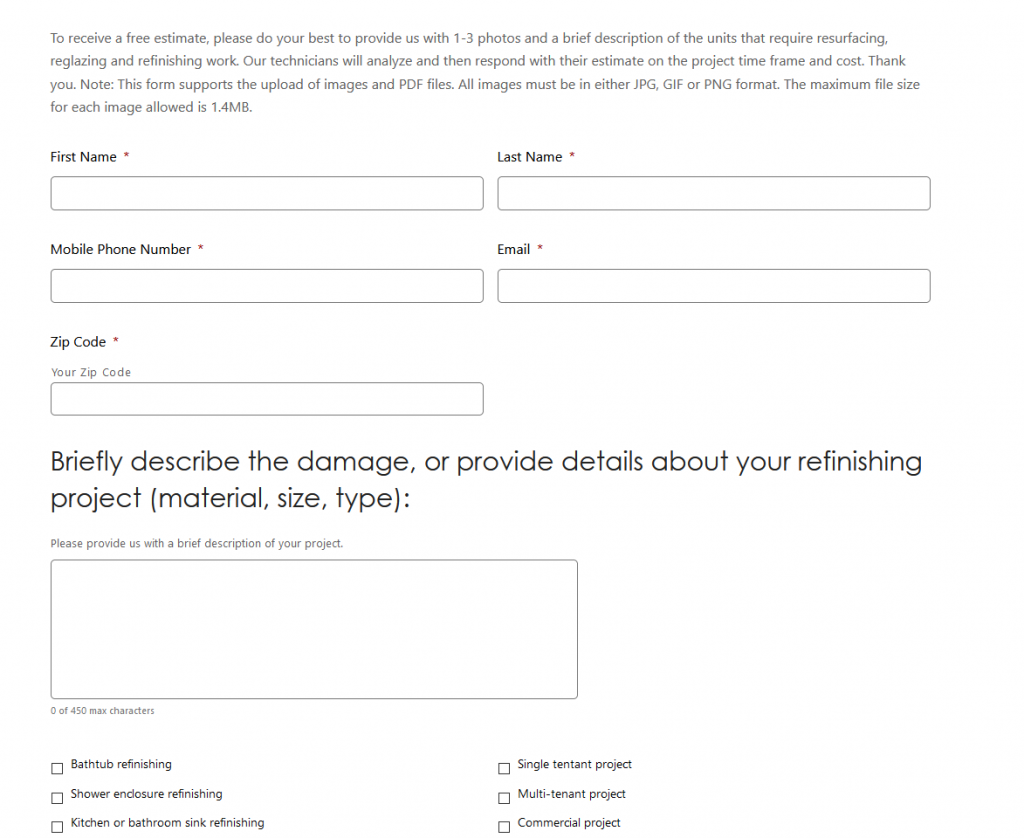
Forms
The location pages have a Quick Quote form at the bottom of the page. The content of the form is the same for all of the forms. All of the forms on the site are created by the Gravity Forms plugin, each location page form will use the email forwarder to send messages to the owner.

Top bar
At the top of the page are the Top Bar, the email address, and the phone number for the location, including social media links. Both the email address and phone number have to match the profile on the contact us page, location page, and Google Business Profile. Change the location name to match the new location, this includes the email address and the phone number, any address info, or county name. All of the pages have a translation menu at the top next to the social media links please see the section below for more information. This website is available in multiple different languages, so there is a language drop-down menu in the top bar.
Location content
All location page phone numbers are click-to-call links, at the top of the page is a button that will go to a separate page for the Free Estimate Form. all of the pages on the website will have the same menu bar as the main website. The location page provides information for a specific location, and information about the services that NuFinishPro offers.
Location page design
All location pages, location map profiles, contact us page content all share a common color palette and theme. But, the text content needs to be unique for each location. However, the web page design, site colors, page structure, and general layout can not be changed. Plus, all franchisee is not allowed to customize the design of the page. All design and color palette changes will affect all of the pages on the website.
Location page parts
- The location page shares a common design, all of the pages on the website have a common theme.
- Location page contact info needs to match an email address, phone number on the contact us page, location map, and Google Business Profiles.
- The email address and phone number on the top bar need to match the Google Business Profile info.
- The page content needs to be unique for the location.
- The images should be unique for the location, this is important for the location image, and the main image at the top of the page.
Location email Address
Email aliases are created for each business in either the GoDaddy Account or Liquid Web hosting account. All email forwarders are linked to a main NuFinishPro email account like cs@nufinishpro.com. For example, the email forwarders sac@nufinishpro.com, roseville@nufinishpro.com, and vallejo@nufinishpro.com will forward messages to the main email account that the account owner has access to. The email alias appears on the contact us page, location page, and on the top bar of the location page.
Website email forwarders
- All locations have email forwarders
- The main email account receives forwarded emails.
- All email forwarders are set up in GoDaddy or Liquid Web.
- An email account will need to be purchased from GoDaddy.
Location phone number
All of the phone numbers used by NuFinishPro go to a call center that handles all of the calls for NuFinishPro. Each location has a unique phone number assigned to that location. All NuFinishPro locations will get a RingCentral number. The phone number in the Contact Us page, Location Page, Location Map, Google services, and Bing services need to match up.
Ring Central numbers
The RingCentral phone numbers are different from the Google Ads phone number. The Ring Central phone number is linked to the main phone number in the ring central account. When we set up the Google ad call extension, it serves the same function as a RingCentral phone number.
The use of Ring Central numbers
- Each NFP location has a ring central number
- Each Google Ad has a Google Call phone number linked to the location phone number.
- The website, Google Business Profiles, and Bing Places all have the same phone number.
- If there are any questions regarding RingCentral, contact Craig.
- All employees and franchisees should have access to the Ring Central phone number assigned to their location.
- RingCentral has a profile for each phone number, workers in the location assigned the phone number should have access to it.
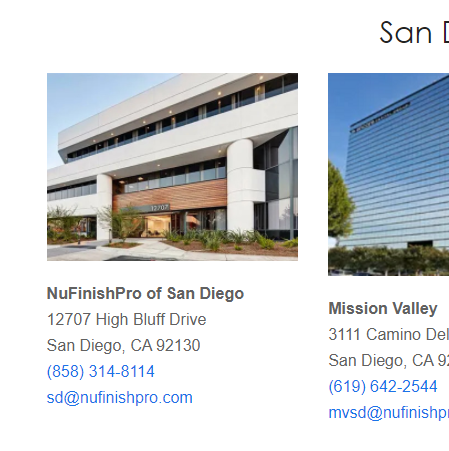
Contact us Page
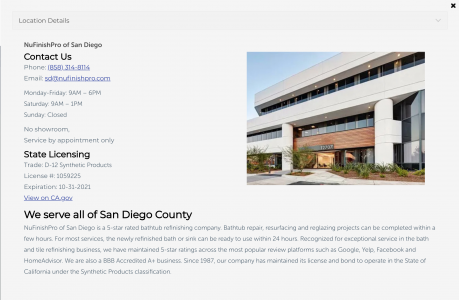
The contact us page has a list of all of the NuFinishPro locations, with the address, phone number, email address, and a link to the NuFinishPro location page. Each location has an image, a screenshot from Google Maps Street View, or an appropriate image if a Regus image is not found, or an appropriate image will be added.
Location information.
- Name of the Business
- Business Address
- Phone Number of the Business
- Email address
- Link to the location page
The same address information is used in the location profile, Google Business Profile, and Bing Places.
Location Map page
Website
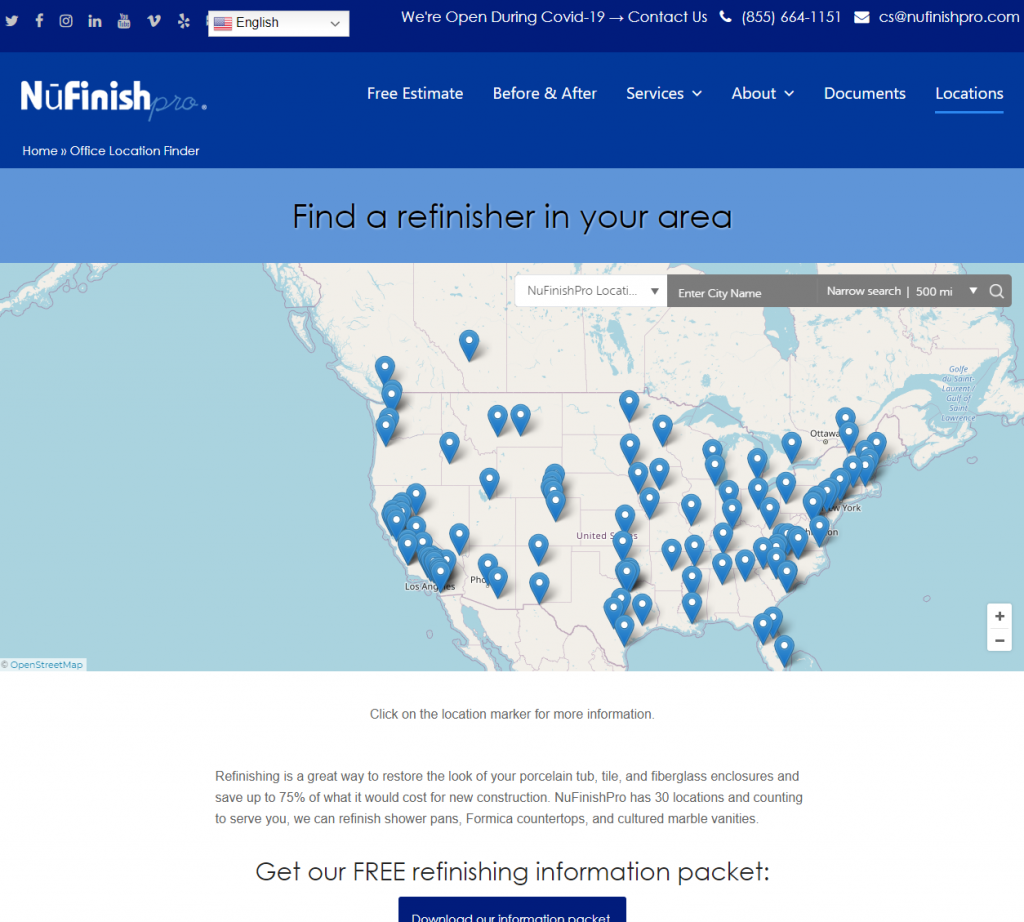
The map displays all NuFinishPro locations. Right now NuFinishPro has locations in California, Texas, Oregon, Washington states, and Vancouver B.C., with additional map points in the USA, Canada, and Europe.
Regus Virtual Offices
Right now we have been using Regus.com locations as a Virtual Office for each location. We will enter the Regus location address into Google Business Profiles, the Location Map, and Bing Places. Please be aware that Regus is constantly changing the look of its website.
Updated Regus website pages
Old domains may not always work after a period of time has passed, the best way to look for a list of locations by the city is to do a Google search of the location.
Location Profile
The location map coordinates, some descriptive content for the profile, the address, and some location tags for the map and Location profile are all part of the location profile.
MapifyPro
The map of the world shows all NuFinishPro locations. The map allows the viewer to search for locations, change the zoom and move the map around. Don’t change any of the options on the existing map on the locations page. The three important areas that are used are the Map Filter Tags widget at the top on the right sidebar of the page. At the bottom of the page are the search radius settings, this controls the search radius of the search function. The default map location and zoom level info are located here.
Map latitude and longitude coordinates
Get all map location latitude and longitude coordinates from Google Maps. When you go to Google Maps, enter the location address in a search of the map to obtain and extract the map coordinates. Then, enter the coordinates into the location profile.
Sample Map Info
Google Maps URL Sample: https://www.google.com/maps/place/Niagara+River/@43.0861356,-79.1253817,11z/data=********************…
Location Map location code example: @43.0861356,-79.1253817
Example of code to add to Location profile: 43.0861356,-79.1253817
Other map items
Other items on the map like tooltips, map scrolling, the colors of the icons, map display mode. To add the map to a page, copy and paste the shortcode for the map into the desired page in WordPress. To make the map taller or shorter, change the height of the shortcode we change the height attributes.
Searching the map
The map has a text field that allows a visitor to search for a location name. By entering the location name into the search field. We want the visitor to be able to see as many locations in a given area. To show as many locations as possible, the default for the map is a 500-mile radius. There is a dropdown menu that allows the viewer to decrease the search radius.
Location Tags
All of the maps and the locations have location tags. Used the location names as tags for the map. The names of the cities, towns, states, provinces, countries can be added to the tag menu. MapifyPro depends on the use of location tags to display locations on the map. Add only the required location tags to the map as to many tags will increase the map’s load time. The order of the location names will be visible in the maps drop-down menu. The MapifyPro map tool is not Google Maps, don’t compare it with Google Maps functions.
Map Country Code
The map tool we are using for the location map is MapifyPro. We have location points in North America and Europe. All country locations on the map use a 2 letter country code. The links below provide more information. Us a country code when the address is in a foreign country. The location map will have a country code assigned to the map, enter the letter code for the country to the map. Click here for the Country Codes List
Multiple Maps
MapifyPro has the ability to make multiple maps, we are not limited to just one map. Please be aware that we should limit the number of maps on a page, the more maps we add. The more data there is to load onto the web page, this will slow down the map’s load time. Plus, we can also create a map that uses a custom map image. If we create additional maps, we have to assign the locations to the new maps. Once a new map is created, a new shortcode for the map will be created to add to the website.
Location Map Page and Information
- A block of text from the NuFinishPro location page to add some information about the business.
- Add the latitude and longitude of the locations business address
- Enter the location tags to profile, City, State, Country.
- Insert location tags in location profile to Location Map
- Provide a 2 letter nation code to Location Profile
- Add Location to Map