

Liquid Web hosting
The website is hosted on Liquid Web.
The NuFinishPro website files and hosting account can be accessed by logging into the Liquid Web Hosting account.
Logging in
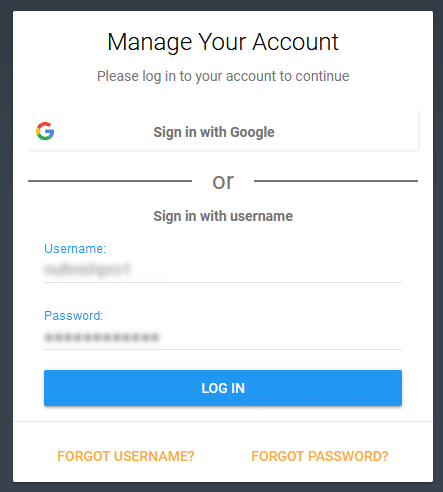
To access the dashboard, enter the login and password for the account, then click on login when you are done.
Liquid Web Account Dashboard
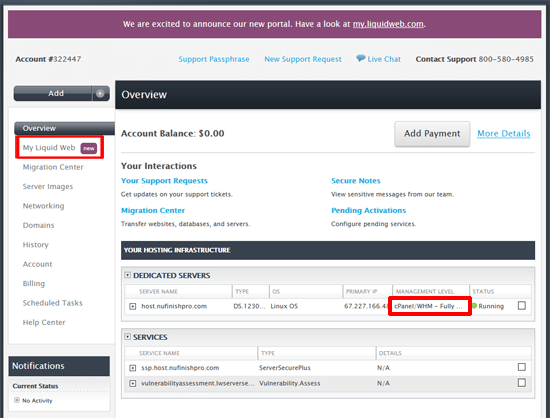
The Liquid Web Dashbard is what you will see when you login. You can either access the DNS, CloudFlare, Acronis Backup and other services here. to access the cpanel, click on either “Cpanel/WHM” to view the dropdown menu, then click on “cPanel”. To access cPanel, please scroll farther down the page.
Account Dashboard
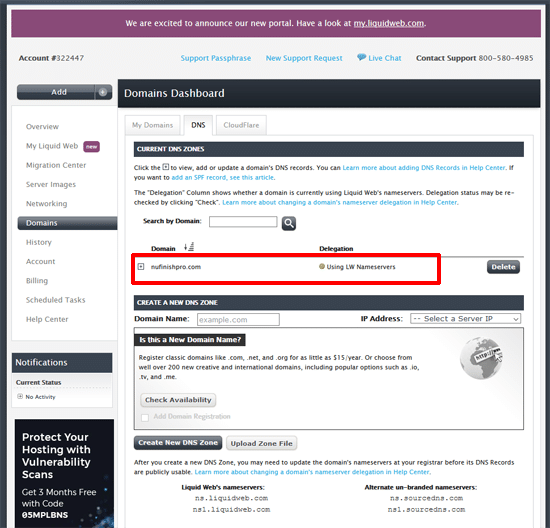
Domain Dashboard
You will use the Domain Dashboard to access the nufinishpro.com DNS.
CloudFlare Cache
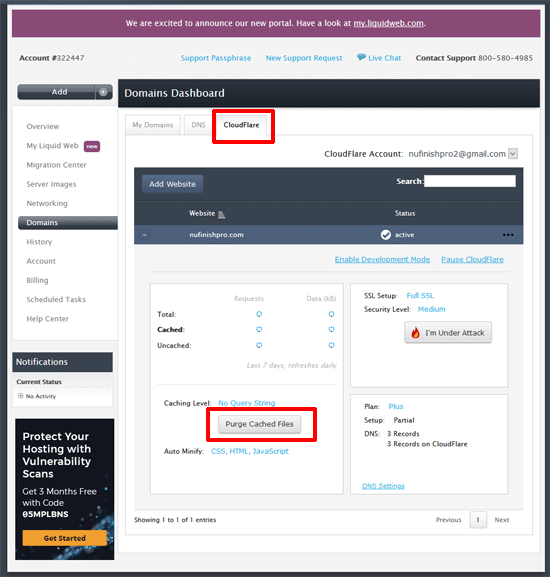
To clear the cloudflare cache, you will click on the “Purge Cache” button to clear the CloudFlare cache.
Access Cpanel
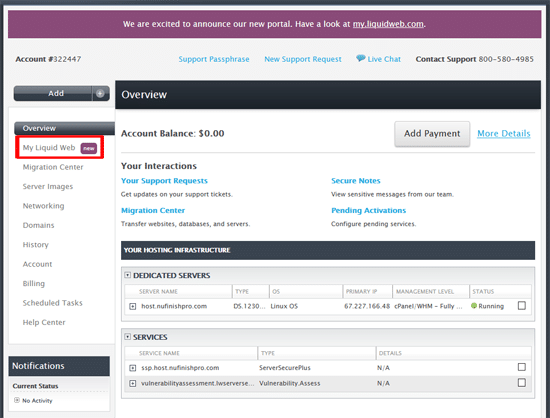
Click on “My Liquid Web” to go to the new dashboard.
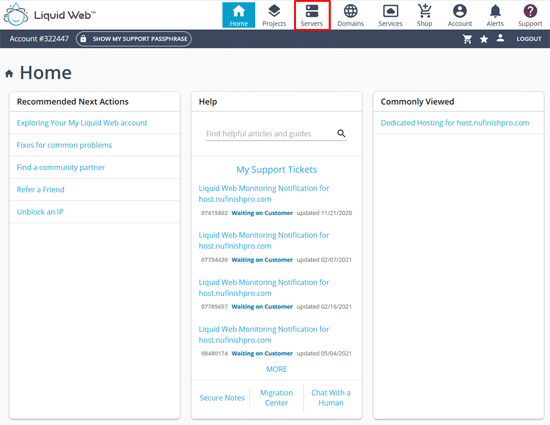
When you come to My Liquid Web, click on servers.
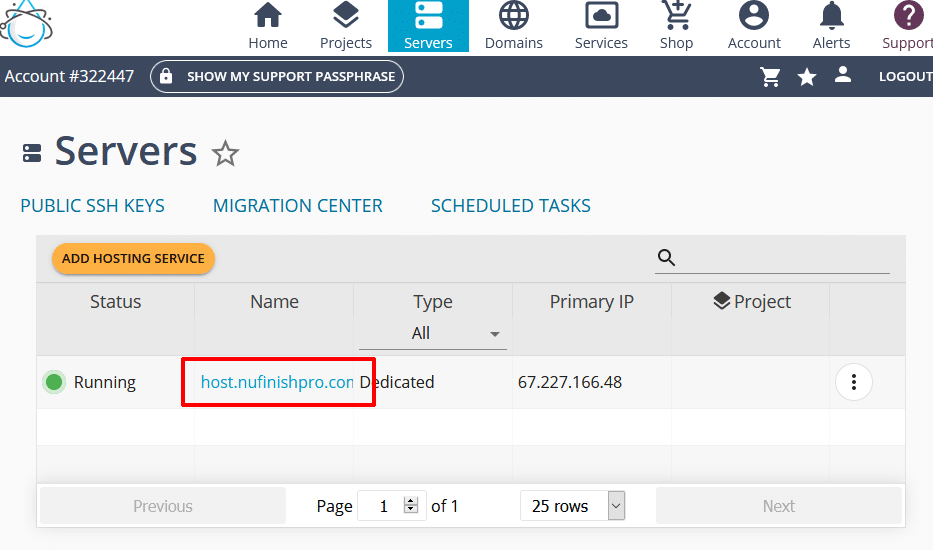
Click on the “host.nufinishpro.com” to go to the next step.
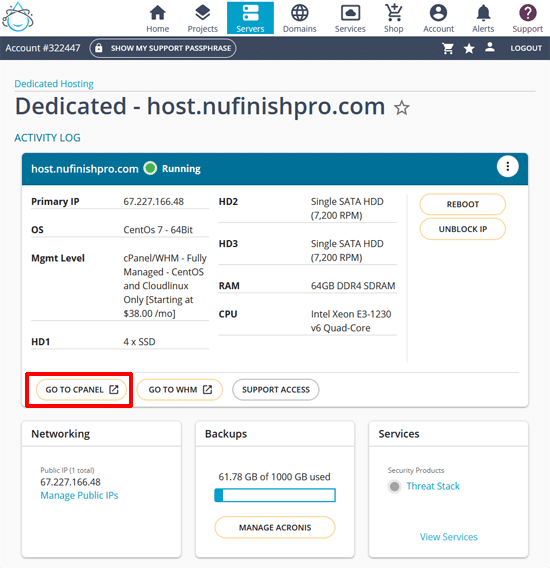
Click on the “Go To cPanel” to go to login to cPanel.
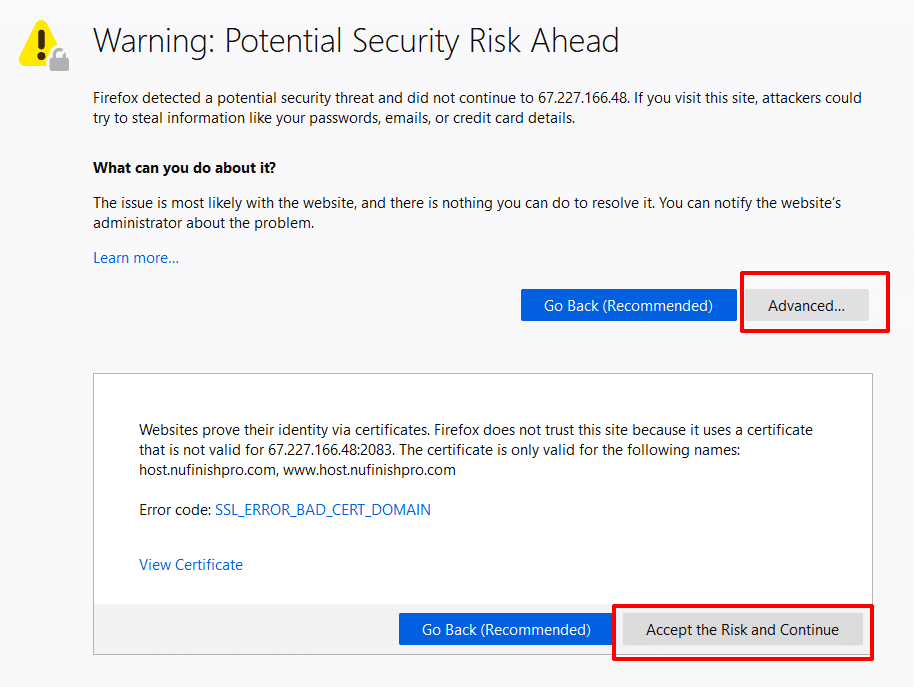
You will need to add a security exception to the web browser to login to cPanel, first click on “Advanced”, then click on “Accept the Risk and Continue” to see the login screen.
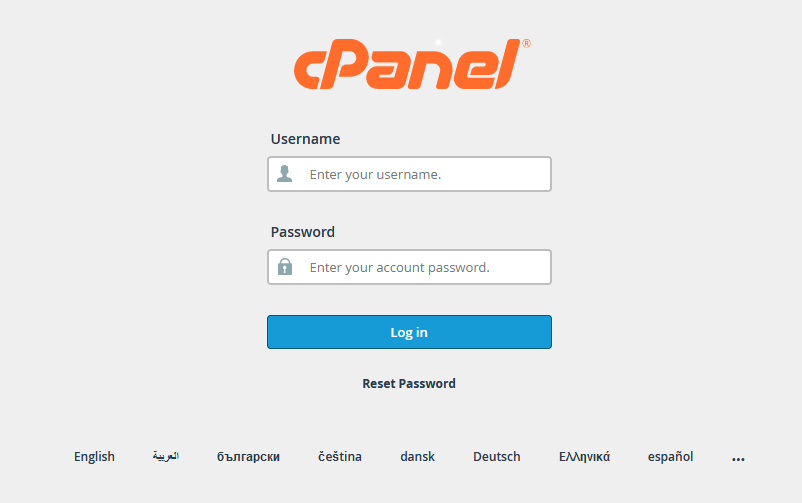
Then enter the login and password to access the cPanel account.
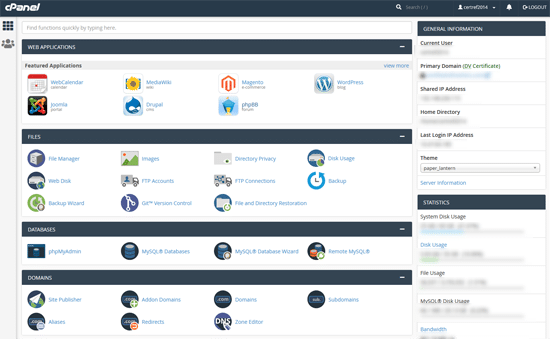
The cPanel control panel is similar to the GoDaddy cPanel, you can access the website files, database, create subdomains, change some server setting and access other parts of the hosting account.
Trouble Shooting Help
Exploring Your My Liquid Web Account
Navigating Your Liquid Web Account