Facebook Ads types
Different types of Facebook ads, leads, likes and engagement.
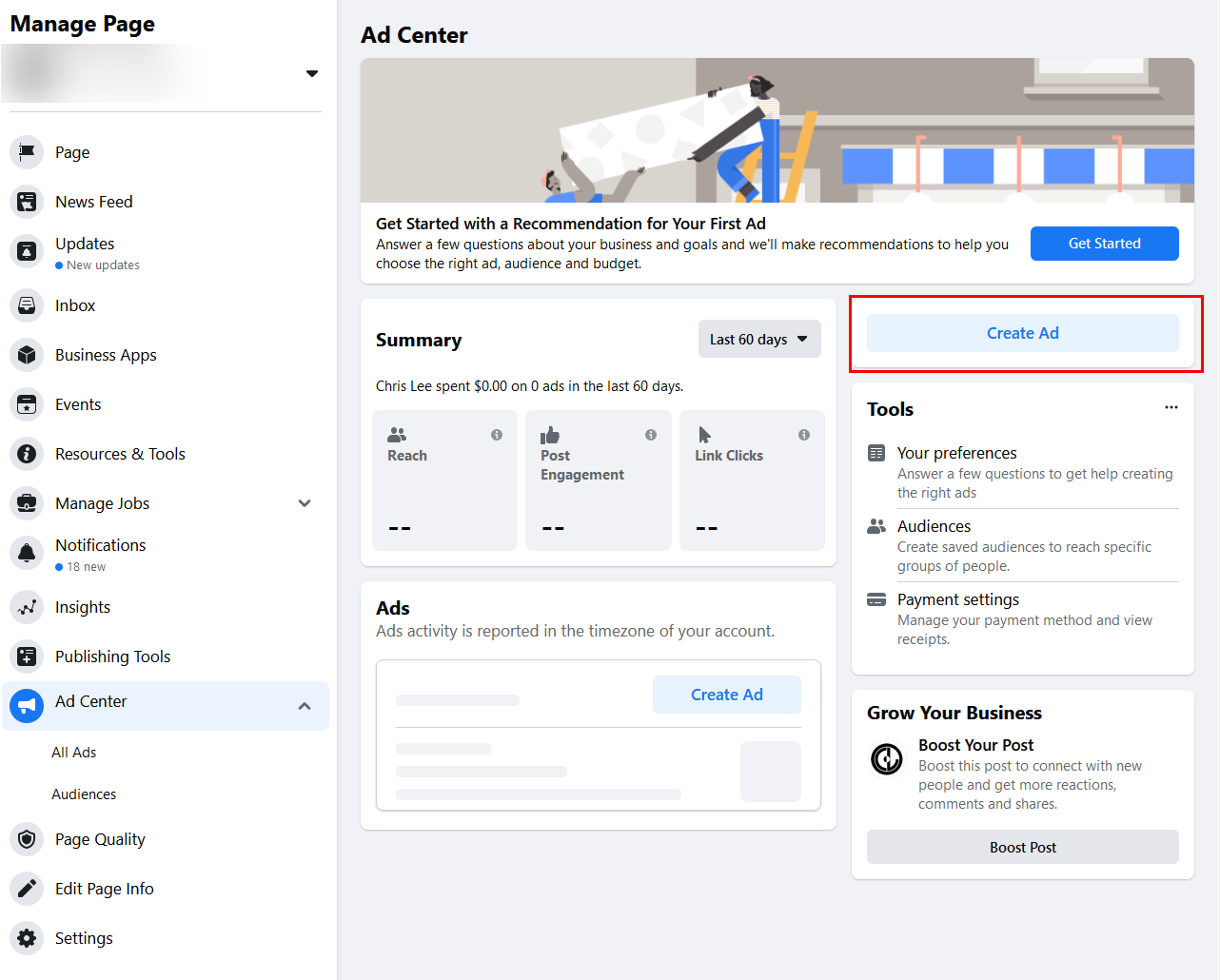
Setting up a Facebook Ad
We have to decide what kind of ads will be running on Facebook. We have a choice of a single image or video ad, carousel ad, or collection. Facebook does have a text ad, but these are not recommended or used very often.
- Carousel Ad – 2 or more scrollable images or videos.
- Single Image or Video Ad – One image artwork or video ad or a slide show.
- Collection – A group of items that opens into a full-screen, mobile experience.
For further information:
Video guidelines
Video Ad Types
Facebook Ad format guidelines
Types of Facebook Ad
Objectives for Facebook Ads
Facebook Ads have an objective: gain traffic and leads. First, get someone to click on a link, gain sales leads or sell products. Second, get users to like our post or engagement. Third, get people to install your Facebook app or mobile app. Finally, get a user to visit a store or a live event of some sort. All of these objectives will allow us to create an ad of some sort. Whether it is an image, video, carousel, or collection-based ad for Facebook. The ad objective determines where we will be placing our ad. For example, if we are going to place an ad in Facebook Messenger. The objective and type of ad will be different from the object of getting someone to click on a link to install a mobile app.
Traffic and Leads
Since we are looking to drive more traffic to a Facebook page or external website. We would be using these ad types to get people to visit our website.Sign up for a newsletter, generate leads, or participate in a survey of some sort.
- Click Link Ads: This type of ad is for promoting an external website. We will be adding an image, providing a headline, ad copy, and a link description.
- Video Ad: This is another form of click ad, except for an image, we will be adding a video, all videos have to conform to Facebook’s guidelines.
- Boosted Paid Posts: This is a Facebook post that you pay to have moved higher in their listings to reach more users.
Sales Leads and Sales Ads
In order to drive more sales and purchases of our products and services. We would use a sales and sales lead ad to get people to come to our site and purchase or products and services;
- Carousel Ads: This type of ad is designed to help you promote a product or service. The ad will include up to 10 images, ad copy, headlines, and a link description.
- Dynamic Product Ad: Dynamic ads are remarketing ads, they are based on past actions on your website or page. An Image is added to the ad, we will provide a copy for the ad.
- Facebook Leads: This type of Facebook ad is for encouraging a visitor to download content or sign up for an offer without leaving Facebook.
- Canvas ads: This type of ad is an interactive ad that lets the user engage with the content that you provide for the ad. We will provide the images, videos, and text content for the ad.
- Collection Ad: This type of ad is for showing off multiple products in one ad. We will provide images and text for each product.
Likes and Engagement
We will use alike and engagement ads to get more people to like our page and drive more visitors to the Facebook page so that they can view our content on the Facebook page and Website.
- Page Like Ads: This type of ad is designed to get a user to like your page, the ad is designed to be placed all over the Facebook website.
- Photo Ad in a Page Post: When you want to show off a video that has been posted on a page, you will use this type of ad.
- Video Ad in a Page Post: If a Facebook page has a video, then you will use this type of ad to promote the video added to the page.
- Text Ad in a Page Post: This type of ad is used to promote a text post on Facebook.
Mobile and Desktop App Installs
These types of ads are used to promote an App on either android or iOS.
- Mobile App Ad: If you want to promote an App that is on Android or iOS, then you will use a Mobile App Ad to promote a download or install of the App that is being targeted.
- Desktop Ad: Since Mobile apps are not supported on desktop computers, the type of ad is used to target either a news feed or a Facebook App.
- Instagram Mobile Ad: this type of ad is similar to a mobile ad for Facebook, but it is intended to promote the download of a Mobile App from Instagram.
Visitor or Store-Based Ads
Local businesses and event organizers can send an event or local-only ad. These ads are used to target a specific geographic location.
- Event Ad: A event that is being promoted will be using an event ad to attract visitors to an event so that tickets can be purchased and the Ad can be set up to limit the geographic location promoted.
- Offer Claims: If a brick and mortar business is looking to attract walk-in business, then an offer claim ad is used, we would be setting up an ad to encourage people to send us their email addresses to get a promotion or offer.
- Local Awareness Ad: If we want to draw attention to a local event or business in a specific location, then we will use a local awareness ad.
- Messenger Ad: looking to send ads through Facebook Messenger, then we will use a messenger ad, we will send ads that will appear in the inbox of a conversation.
For further information:
The use of images in Facebook ads
When an ad is being set up. First, we will need to choose the right image. Write the proper ad copy for the ad that we are going to create. This is important since we are competing for the attention of Facebook users. This involves choosing the type of ad we will be running. Second, we have the choice of using a Video, Image, Carousel, or Collection ad, depending on what type of ad we run. Third, we will need to find the right video or image for the ad.
Create ad content
When we create the ad copy for the ad. We will have to keep the text for the ad within the text character limit. Then, we have to decide on the headline, ad copy, link text, and the destination the ad will direct people to. The other most important thing we will need is a Facebook page for the visitor to go to. An eye-catching ad is important and affects your Cost Per Acquisition and Cost Per Click, a properly chosen high-quality image is responsible for 75% to 90% of your image acquisitions. Once we have all of the content ready, we can create the ad.
Facebook image guidelines.
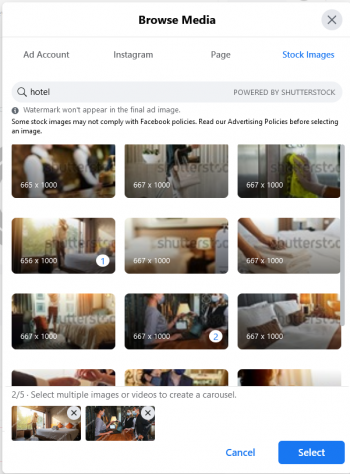
- When we start the setup of the ad. We have to choose the type of ad that we want to set up, carousel, static image, video, and etc. Once we select the type of ad that we want, we will upload the images or add the video link. Facebook has its own selection of stock images, these images are available to all advertisers. So we need to find the images that we want not what Facebook has made available to us.
- Our ad needs to be well designed, colorful, properly placed in the text content in your artwork for maximum impact. The Image must conform to Facebook ad guidelines, the image has to be about 1200px by 628px. The Ad has to stand out from the Facebook color palette used on the Facebook site.
- The second most important part of the ad is the ad copy. We will need to write the main text that can only be 90 characters max. The headline is up to 25 characters, and the link description is 90 characters max. When we create an ad. Each ad will need to have a unique text that is different from ad to ad. The messages conveyed in the ad need to be clear and convey the message you want to send to the customer.
- Once the ad image is selected, or the video that is going to be used is chosen. The text copy is ready, we can create the ad, all we need to do is enter the text into the proper field and ad the destination for the ad, we will create the ad.
For further info on audiences:
- Demographics Targeting click here