

GoDaddy Web hosting
Use the GoDaddy Dashboard to access your web hosting account.
The GoDaddy account has several related websites that are hosted on GoDaddy. Get access them through the GoDaddy Account.
Web Hosting
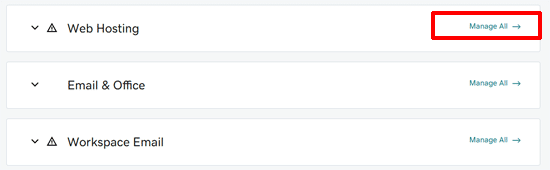
Scroll down to “Web hosting” and click on “Manage All” to go to cPanel hosting.
Cpanel Hosting
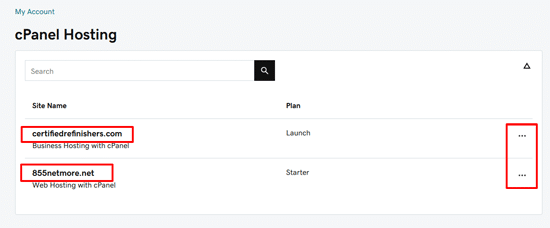
The cPanel Hosting manager contains the links for all of the web hosting accounts. Either click on the name of the account or the three dots to access the hosting account manager.
Web Hosting Account Manager.
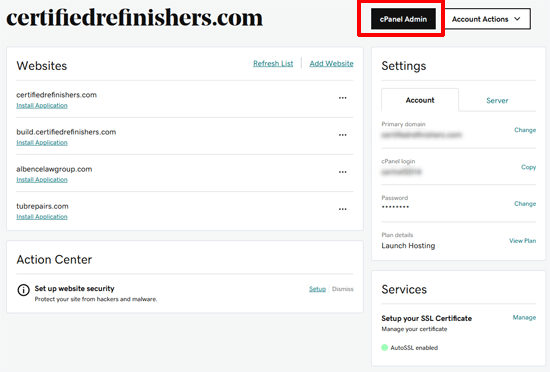
This panel will contain the information regarding the domains assigned, the hosting plan information, any services that are related to the account. To access cPanel for the hosting account, click on the cPanel Admin button.
GoDaddy Cpanel
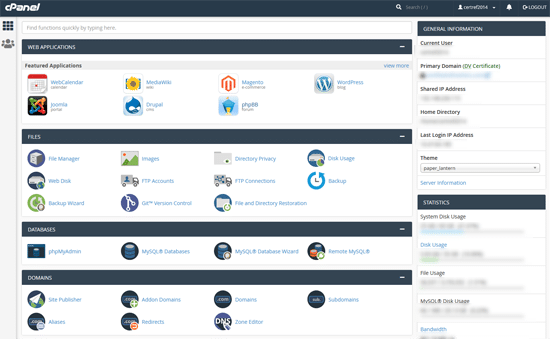
Cpanel is the main control center for the hosting account. Cpanel has many services available for you to manage. This includes accessing the website files, data base, make backups, and other services are available.