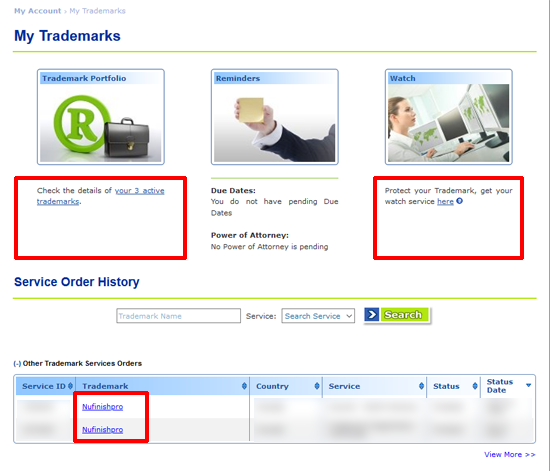
Marcaria Dashboard
Change the domain settings and access trademark info.
Any domains that are not in GoDaddy are in Marcaria. We can change the DNS, redirect, and manage all trademarks here.
Login To Website
First, login by entering your email address and password to go to the domain manager dashboard. After that the dashboard will appear, then you can access the Marcaria website and domain services.
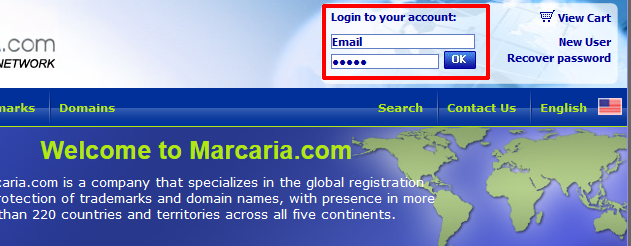
Access the website
All of the information links for Marcaria are located in the left-hand column. There are two main areas in Marcaria, My Trademarks, and My Domains. The trademark information that we have purchased through Marcaria is located in My Trademark. All of the domains that have been purchased and registered with Marcaria are shown in My Domains.
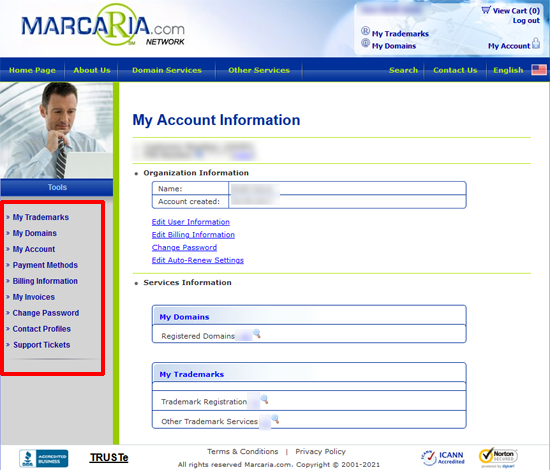
View Domain Settings
This page will have a list of all the domains that have been registered. The status, expiration date and auto-renew status are all shown on this page. Once the domains automatically renewed, the date should show the next expiration date. To Access the settings for a specific domain, click on the name of the domain to go to the settings menu.
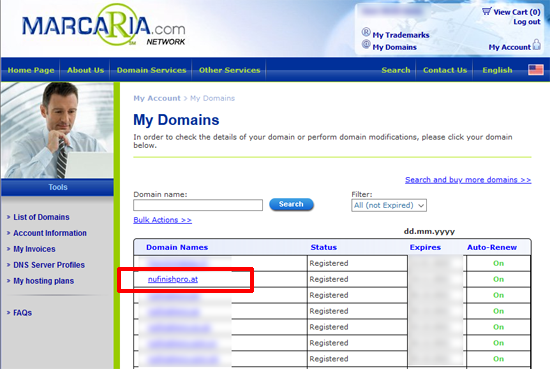
Domain Settings Options
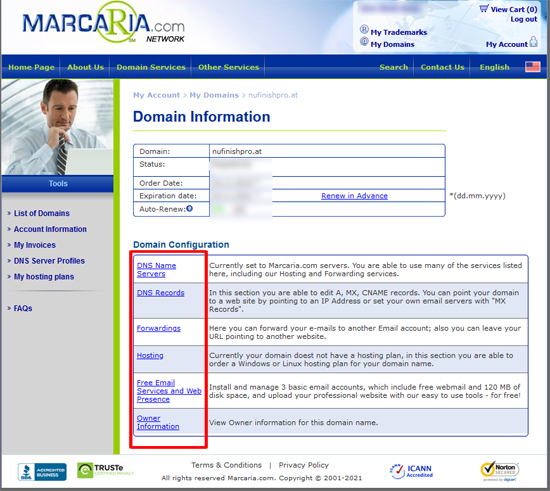
Once you arrive at the settings menu. You will be able to edit several different settings like changing the DNS. Other functions like “Forward the domain to another URL”, or get the “ownership information” for the domain. Please be aware that all domain DNS Changed will take a minimum of 24 to 72 hours to fully take effect. All of the different services listed on this page will have a description of that function to explain what it does. The “Hosting” link will take you to a page that allows the domain’s owner to purchase a hosting account, we already have hosting. So there is no need to use the services on this page.
Trademark Manager
The trademark dashboard will look different from the rest of the site, you will have the option to choose several diffrent available services, be reminided of any important actions, or view the order history.