GoDaddy: Domain Manager and DNS

Domain Manager
Changing the DNS, Domain, and redirects.
Making the changes to the DNS settings, domain names, redirecting domains is handled by GoDaddy’s domain manager.
GoDaddy Dashboard
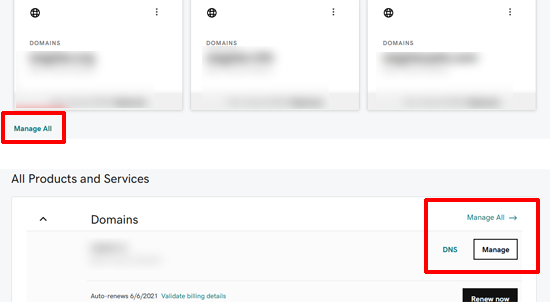
When you first log in you will see the go Daddy Dashboard, to go to the domain manager, click on the “Manage All” button. This will take you to the master list of domains in GoDaddy.
Access the domain settings
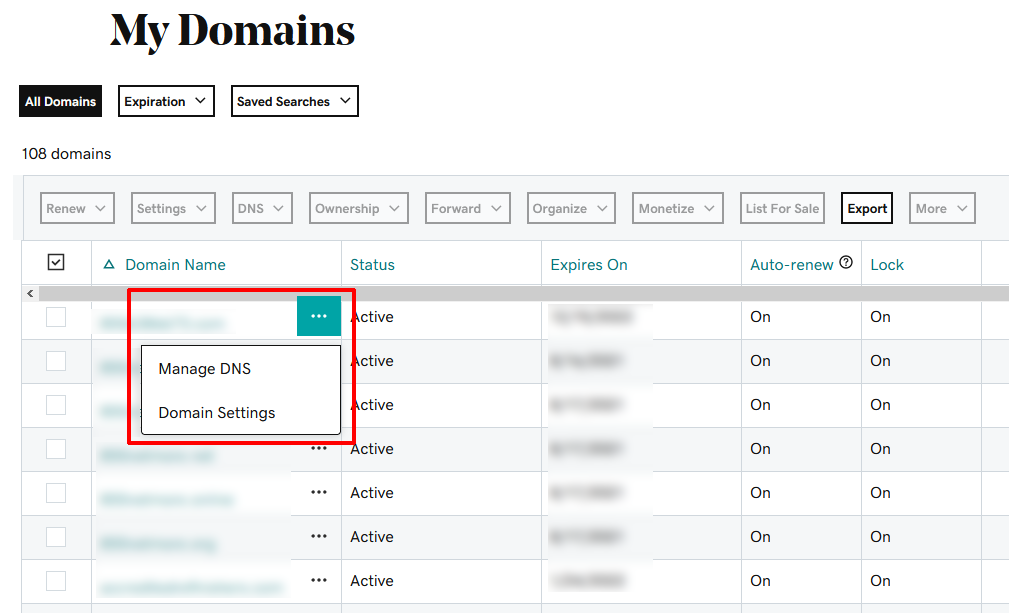
When you are in the domain manager, next to each domain are three dots, click on them to display a drop down menu to give you two choices. You can either “Manage DNS” and Domain settings, click on the link to the page that you want to visit.
DNS Settings
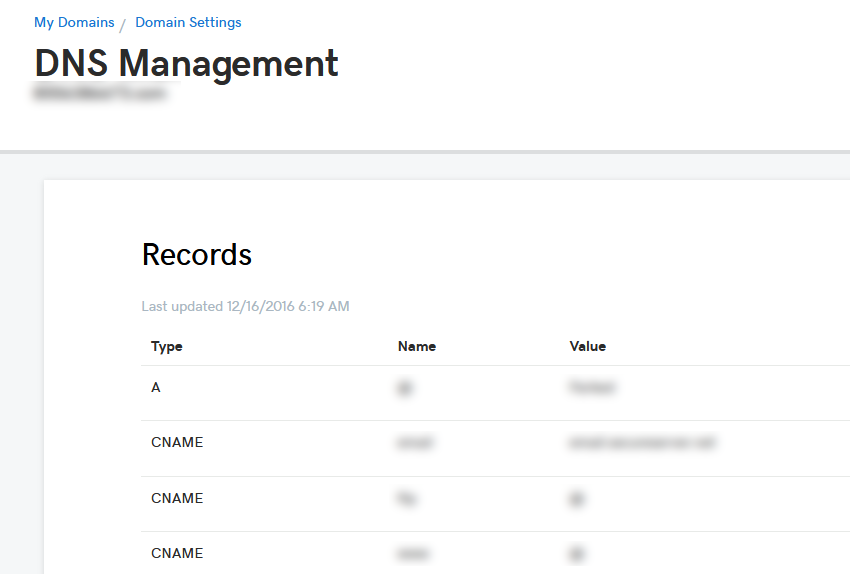
When you click on “Manage DNS” you will be take to a list of settings for that specific domain. at the bottom of the page, you will be able to add DNS information or you can change a specific DNS setting. Please be careful, a wrong DNS change will cause the domain to stop working.
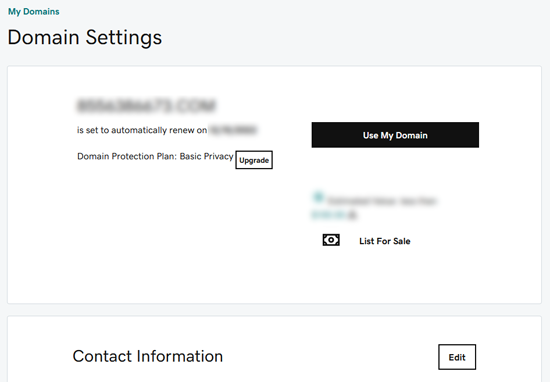
Domain Settings
This menu allows you to activate the domain, change the billing setup, and upgrade other options. When the domain is active, this is where you will be able to redirect the domain or one of the subdomains to a different URL or website.