
Google Ads Report
Create a report for the performance of your
Are you looking to get information about the performance of your ads? You can generate reports in Google Ads for the performance of your ad campaigns, the ad extensions, billing, spending, and other things that are trackable in Google Ads. The reporting function in Google Ads is located at the top of the page, in the gray bar between the search and tools icons. Google Ads allows you generate a campaign report then you can download a copy of the report from Google Ads to your desktop or laptop computer.
Here are some helpful links.
https://support.google.com/analytics/answer/4355493?hl=en
https://support.google.com/google-ads/answer/6201327?hl=en
https://support.google.com/google-ads/answer/2404176?hl=en&ref_topic=3119142
Generate a report
1 and 2. To start the process click on the “Reports” icon you can choose from reports, which will allow you to setup a custom report. In this case choose “Predefined Reports” to choose the type of report that you want, there are many different types of reports to generate. In this case we are running a basic report to track the number of clicks, or you can choose from a different type of report.


The Finished Report
3. This is what a genterated report will look like. All of the different metrics are listed in the report by row and column. You can add or remove different data attributes to change the information that the report displays.

Organize Data
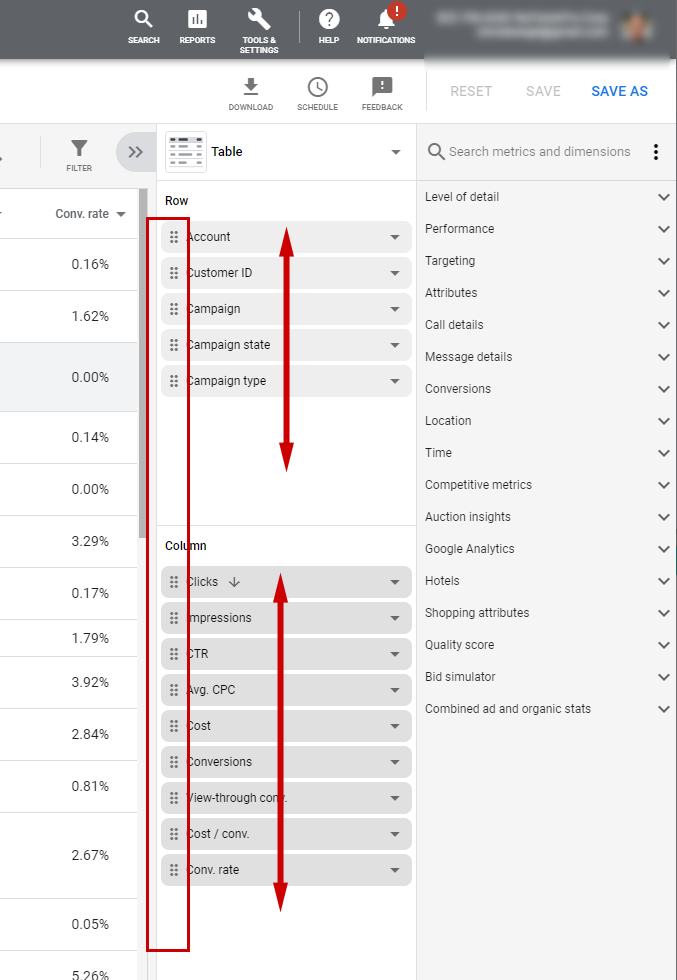
4. On the right hand side is a side bar it allows your to move the different columns and rows around to change the order of the information. Simply click on the icon on the left end of the data row to move it up or down to change the position of the row or column.
Adding Widgets
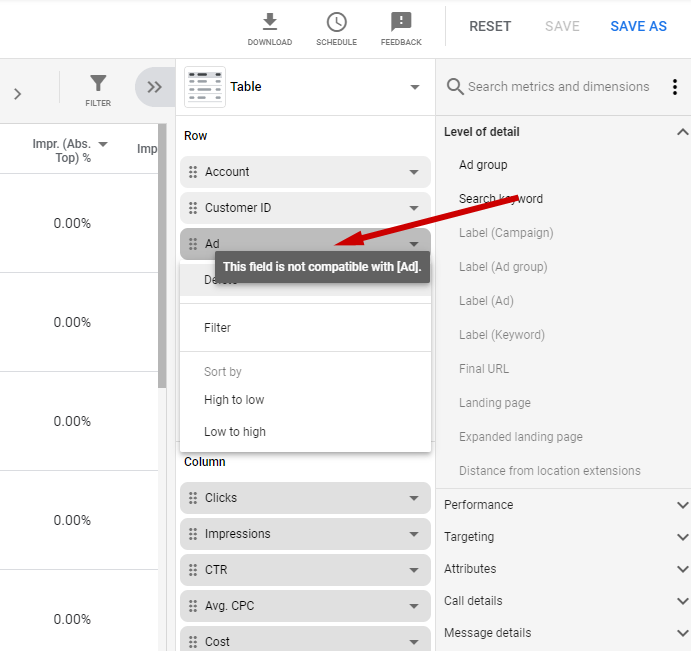
5. The report tool will allow you to add additional types of information rows and columns. Google Ads will decide on which type information widget you can insert. Any widget that is light gray color is not available for use.
Changing the date range.
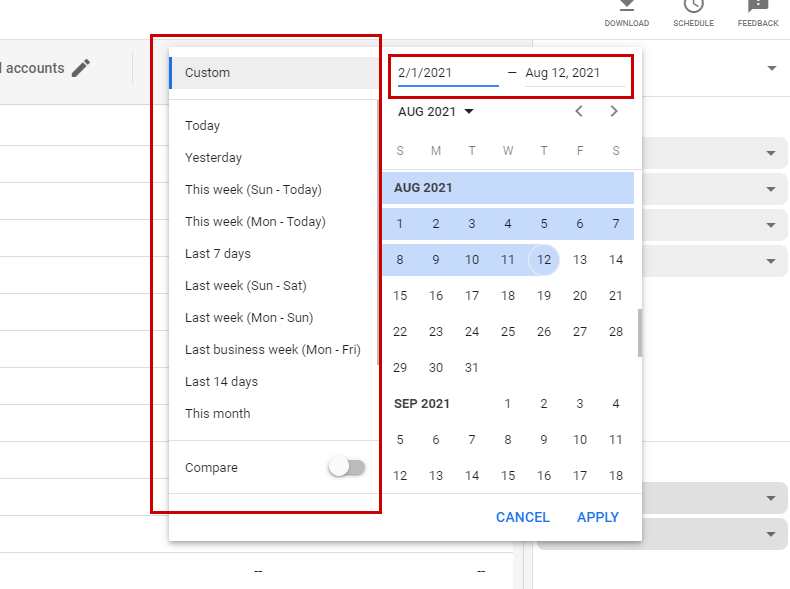
6. To Change the date range, click on the date with the label “Custom”.

7. You can change the date range using the calander or choose from a series of predefined date ranges in the side bar. Save the changes once you have set the date range..
Download a report
8. Google Ads allows you to download the report that has been generated, to begin, click on the “download” icon.

9. Pick the file type that you want the report to be available in. The report can then be downloaded once it has been generated.
