

Claim your business
Nextdoor, claim your business location for your profile.
Nextdoor allows a user to claim a business location in a city.The process is very straight forward and easy to do. You will need a business location address, email address, phone number, and knowledge of what your business does to choose a category for the business. A domain or website link is also useful to have on your profile.
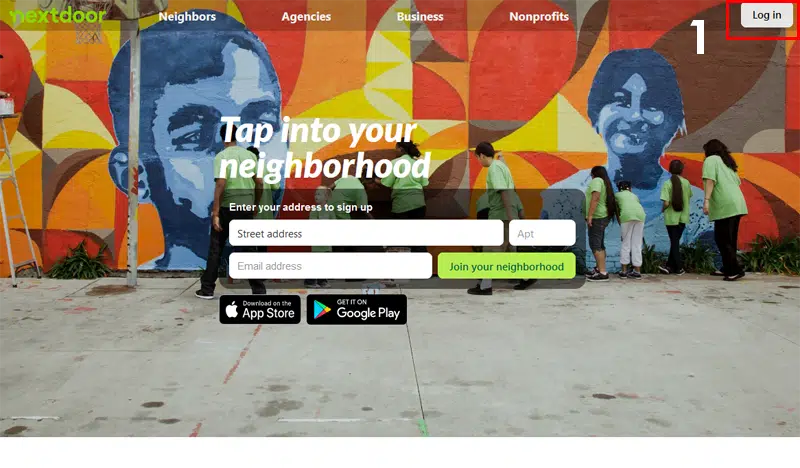
Going to the Dashboard.
Use either the Nextdoor website and the Nextdoor App to claim a business. All of the steps and the process is the same for both platforms. To begin go to the website to set up an account, then follow the instructions to claim your business.
The choice is to use a mobile phone to claim a business on Nextdoor. Plus, you can get a link to either the Google Play or Apple App Store by going to nextdoor.com. Finally, install the app and create an account for Nextdoor so you can claim your business.
To begin, login to the Nextdoor app or website. After loggin in, the Nextdoor dashboard will appear after you have finished logging in. As you move through the website, all sponsor-ships and advertisements will show up on the website. The word “Sponsorship” next to the business name and Title.
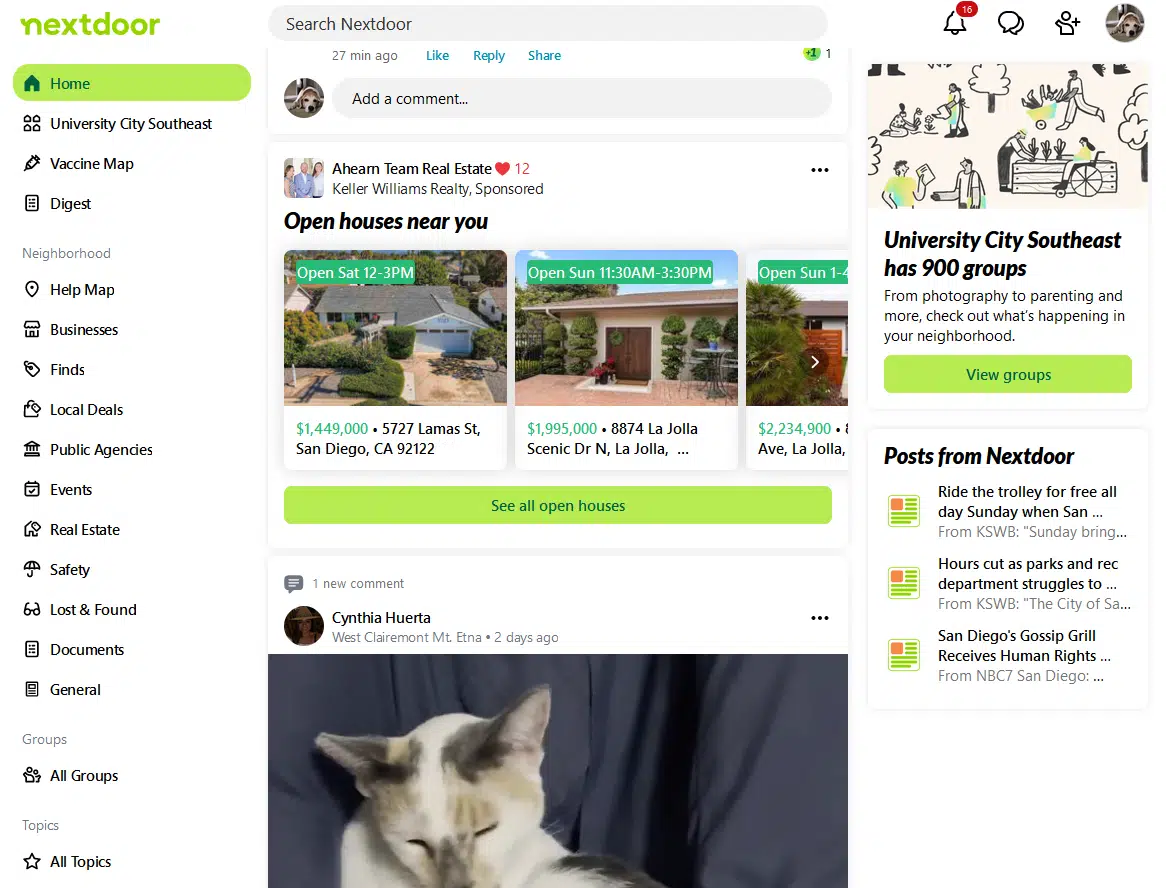
Claiming a business location
Ready to claim your business? Go through all of the steps to claim a business. Your legal business address, contact information along with an email address and phone number are all required. Nextdoor allows you to keep this information private from public searches.
1. If you are on the Nextdoor App, click on the “More” button at the bottom of the window.
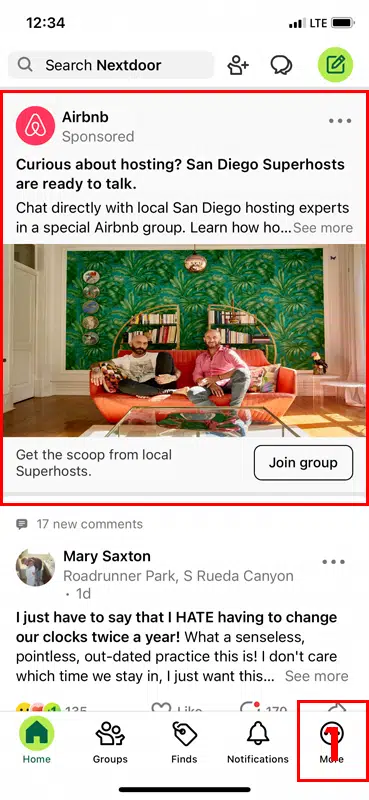
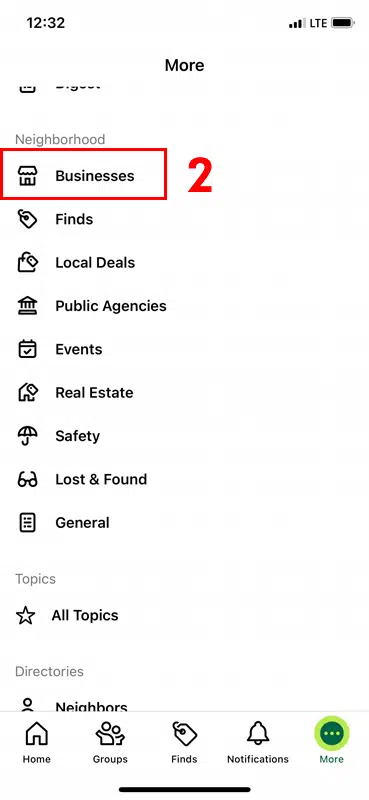
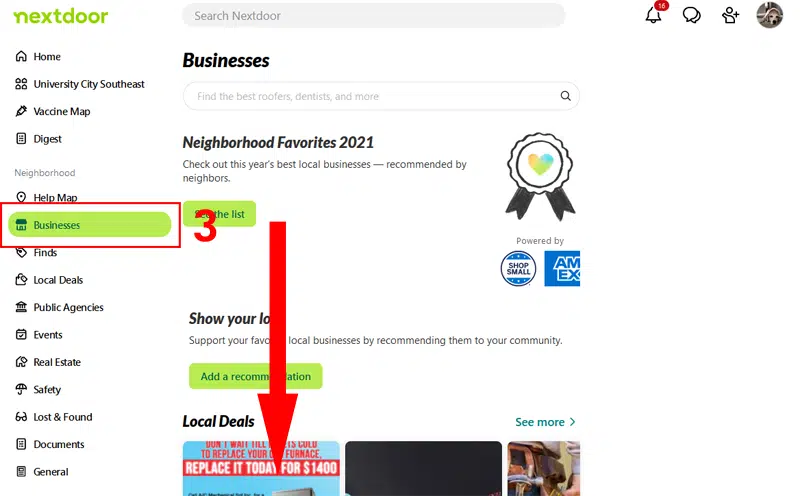
2. You will need to go to the business page of your profile, go to the link on the right hand side to click on the button named “Business”. On the mobile app all of the side bar buttons are on a separate page, click on the businesses to go to the next page.
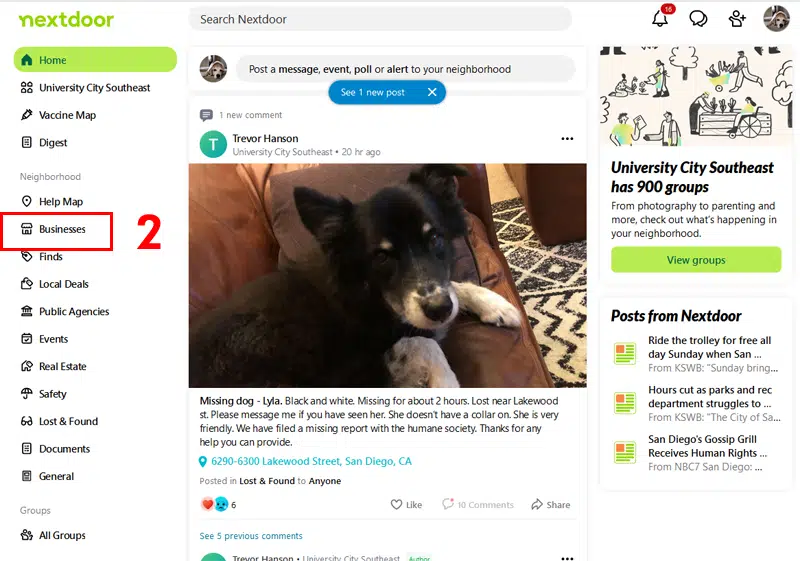
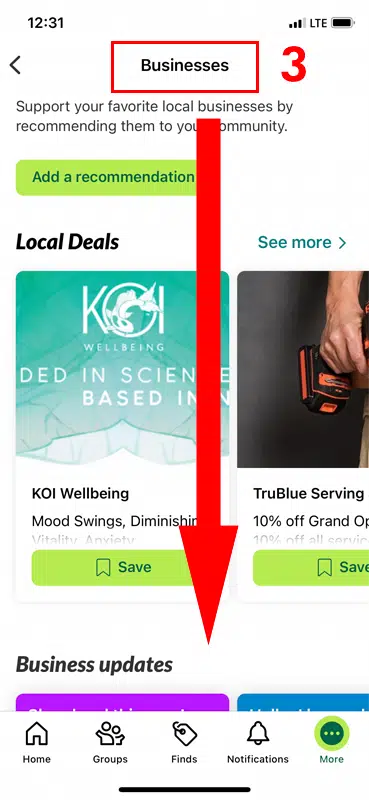
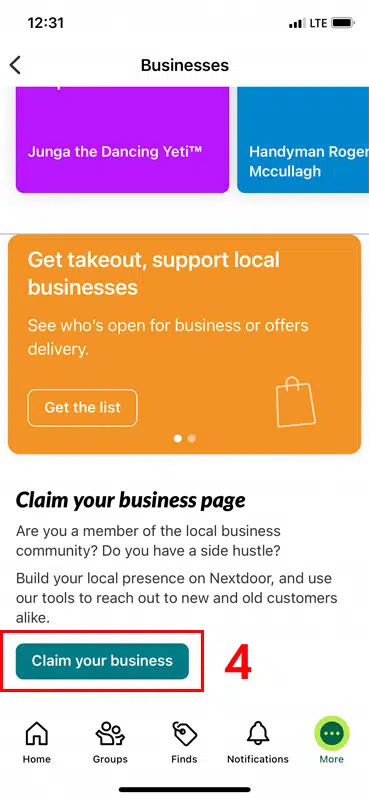
3. When you arrive at the Businesses page, this page has information on local deals, business updates, and business promotions. Scroll down to the bottom of the page.
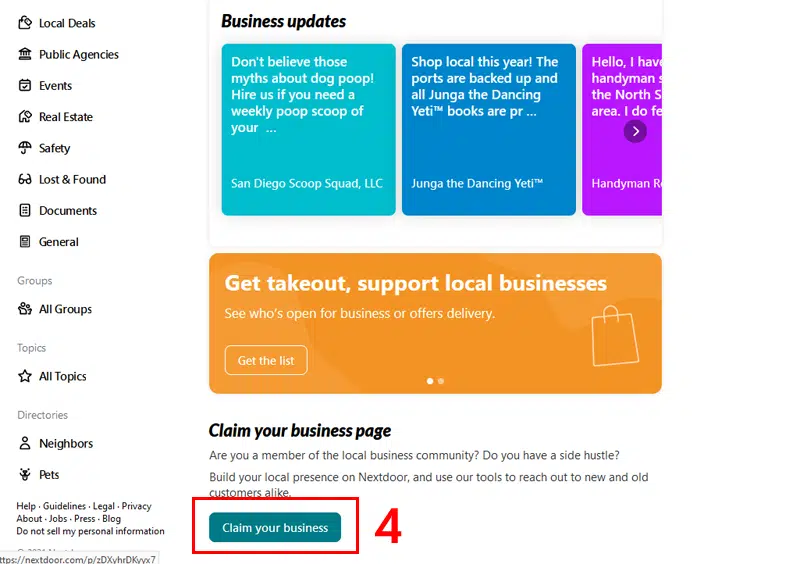
4. Finally, click on the “Claim your Business” to begin claiming your business location.
Useful Links
Claim your business
https://help.nextdoor.com/s/article/How-to-claim-your-business-page?language=en_US
Filling out the claim form
After you arrive at the claim form choose either your existing account or a different account to set up the claim form. Then, choose an account to assign the business to, provide some contact information, a business address, and choose a business category. After that, an email will be sent to the email address you have entered to finish claiming the business location.
Choose an account
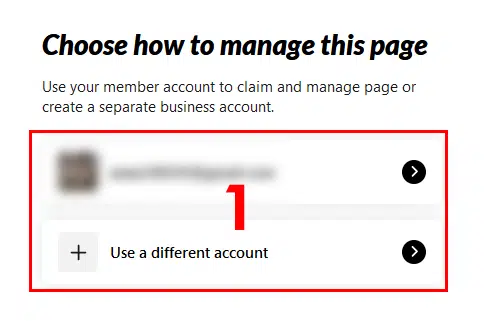
1. You must pick one of the two choices, if you choose to use an existing account simply proceed to the next step. Choosing to use a different account means that you will need to log in with a different account or create a new account to be the owner of the business.
Enter a business name
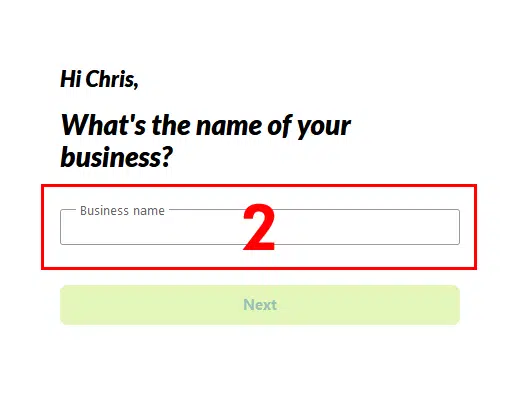
2. Next, enter the name of the business into the text field on the second page. Provide the full business name of your business, since there may be multiple businesses with the same name. Click on “next” to go to the next page to enter your business information.
Provide a business address
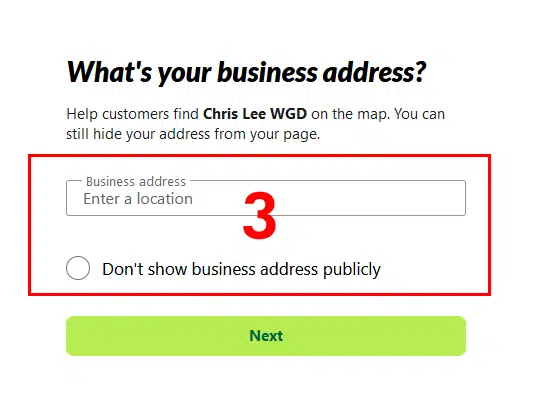
3. On this page, enter the business address and choose a category for your business. First, you will need to enter the complete address. Nextdoor provides an auto-fill recommendation menu. Second, Enter the complete address including the suite or unit number into the text field. If you want, click on the “Don’t show business address publicly” radio button to hide your location’s address. Finally, when you are ready go to the next part of the process.
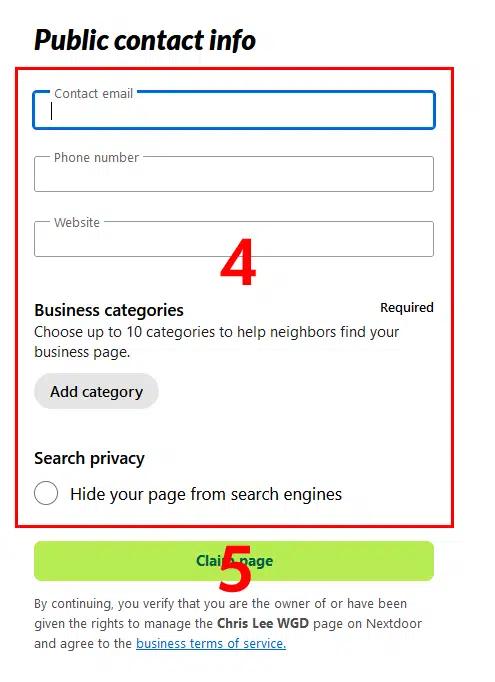
4. To begin, enter your publicly listed phone number, email address, and website domain so that your customers can contact you.
After that, click on “Add category” to pick a category for your business. For example, a handyman, a family lawyer, web designer are all examples of business categories in Nextdoor. Nextdoor requires you to choose a category for the business profile. Type the name of a business category, then a number of suggestions will be offered in a drop-down menu. Choose the category name that best suits your business, to finish the claiming process.
Finally, If you don’t want search engines to find your profile. Click on the “Hide your page from search engines” radio button.
5. When you are done, click on the “Claim” button.
After that, an email will be sent to your email address so that you can claim the business location. Also, public and private contact information is needed when you set up the business profile. So that Nextdoor can contact you directly if there is something important.
When you are ready to verify the business click on the link in the email that has been sent.
Learn more in the below link:
https://help.nextdoor.com/s/article/Verify-your-business-to-access-gift-card-delivery-features?language=en_US
Useful Links
Claim your business
https://help.nextdoor.com/s/article/How-to-claim-your-business-page?language=en_US
Verify your Business
https://help.nextdoor.com/s/article/How-to-verify-your-address?language=en_US
Submit verification documents
https://help.nextdoor.com/s/contactus?language=en_US&subCat=Verification%20issues&cat=Joining%20or%20verification
Claiming multple business pages
https://help.nextdoor.com/s/article/claim-more-than-one-business-page?language=en_US