

Your Page
How to manage and update your Nextdoor profile.
All Nextdoor businesses have a profile page. The “Your Page” that manages the different parts of your profile like the logo, cover photo, schedule, and other things on the page. The information is separate from the information in settings. Everything that is added here is all public information that is visible on the Nextdoor app and website.
Preview your profile
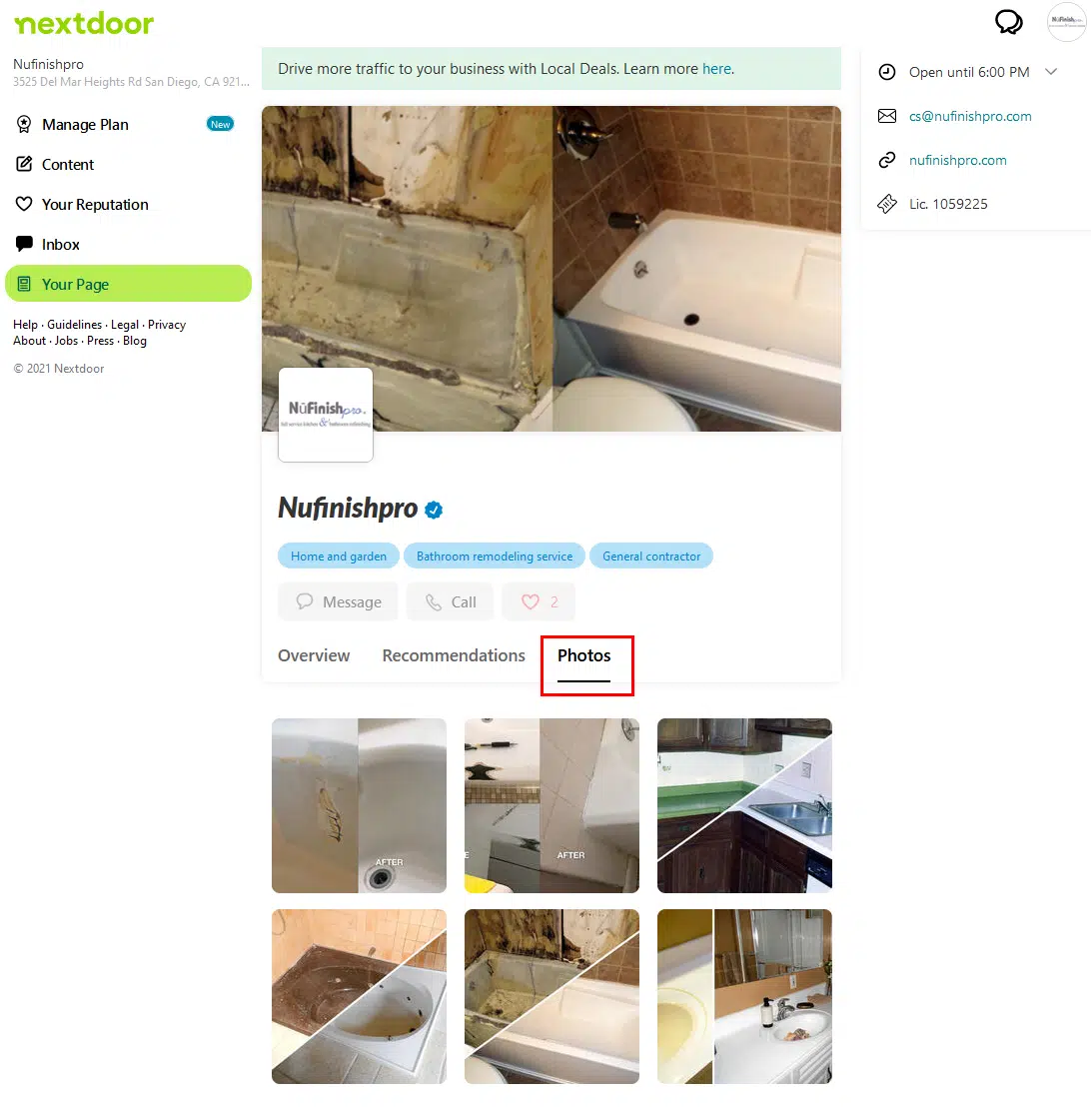
When you are ready to view your profile page. There is a “Preview” button for you to view the profile as you work on the page. At the top of the page are the links to add a logo and cover photo. If you want to add a different image, click on the trash can icon to delete the existing image and then add a new image. Both of these images have to be a specific shape, your logo image is going to be square-shaped. Then the cover photo needs to be rectangular in shape. The thing that you want your customers to see, and the most important part of the image needs to be in the center of the image.
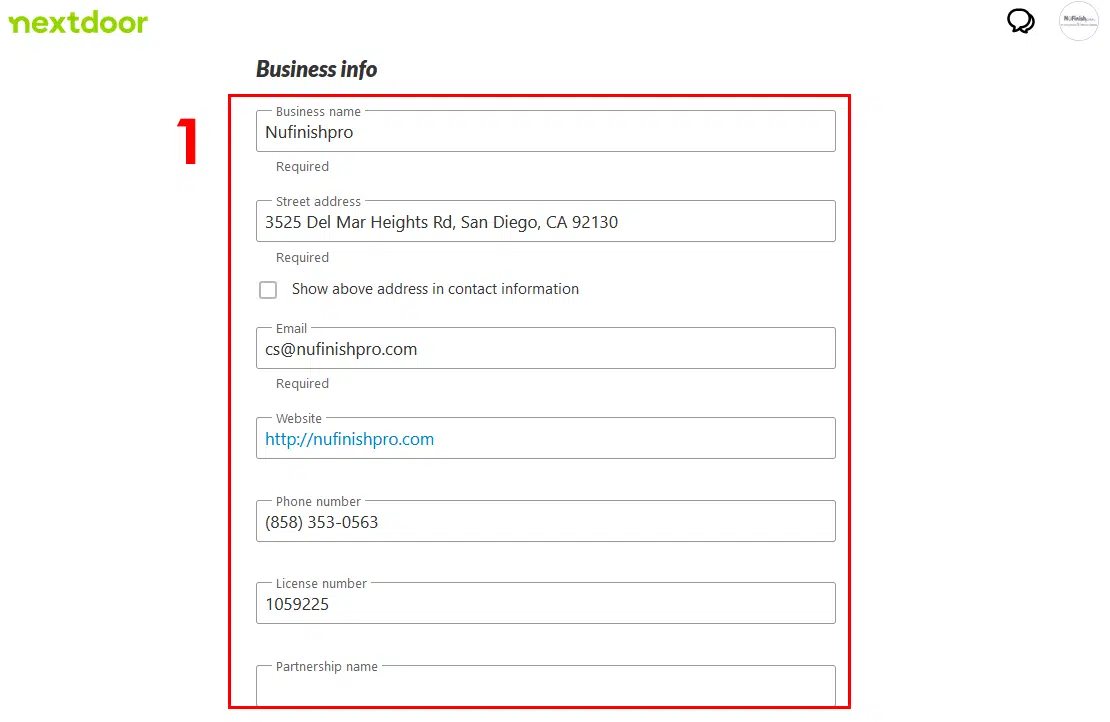
Your business information
The third part of the profile is your business information, the business name, address, and email address are all required. Since the customer needs to have some way to contact you. Other things like the phone number, website link, and a business license number of some sort are useful to help provide a sense of trust for the customer.
Nextdoor wants you to provide some photos of your business services or products that you sell. If you have a store or restaurant, then provide some photos of the dishes and interior of the location. The images you add need to be square in shape.
The popup window picture tool displays images in a square shape. When you create images for the website please keep this in mind. At the bottom of the photo, the viewer is a slider button to turn off the ability to allow any partners to edit and manage the page.
- Adding photos is easy, click on the icon in the gray box, to open the photo upload tool. A window will appear that allows you to add photos to your profile. When you are ready, upload the photo and then save it to the profile. After a few minutes, the photo will appear and show up next to the gray upload box.
- You will then be able to either edit the image. This is the icon with the pencil in it, or delete the image. To do this click on the trash can icon to remove the image.
Your business hours
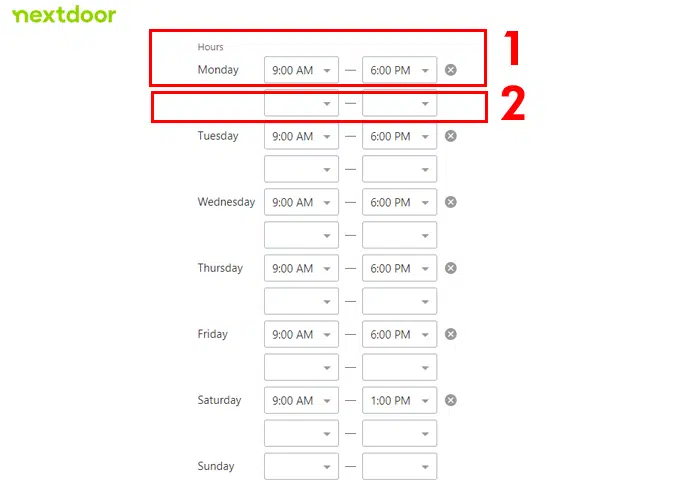
Add your business hours to the business profile by using the scheduling widget. You can add hours for all seven days of the week, but the tool does not allow you to post special hours or holiday-specific business hours.
Each day of the week has an opening and closing time. You can enter the opening and closing hours in this set of text fields. If your business closes after lunch for mid-daybreak. You can enter the first opening and closing times in these two fields. To change the time, click on the drop-down menu to set the time.
The second time fields are optional, if your business closes for a short period of time after lunch, you can enter the second opening and closing times here.
You can enter an opening and closing time for each day of the week, repeat the steps above to set the business hours for each day of the week. If your business is closed for a specific day, leave the fields blank.
What are you offering and your story?
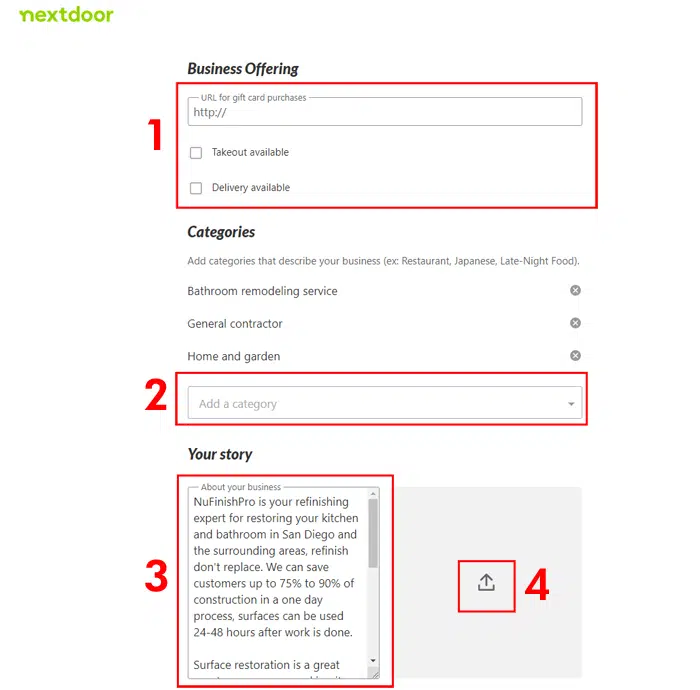
Further down the page are three separate widgets, business offerings, categories, and your business description. All of these different pieces of information are optional, but they are important to help your business provide information to your customers.
- This part of the page allows you to provide a link to a page on your website that provides information on gift card purchases, discount information, and other promotions. You can also check on the two text boxes that notify your business of offer take-out and delivery services. Check on either of these checkboxes if you are interested in offering these services.
- Part of the business profile will display business categories. Nextdoor will provide you with a list of categories that are related to the words you type in. Please be aware that the choices offered are limited, choose the ones that are most related to your business.
- Your story provides space for the business description, please provide a short description of your business and what it does. You can make a sales pitch for your business or provide a basic description of all your business services. Ultimately you will be sending your customers to a website, or encouraging them to call or email you for more information.
Your profile photo gallery
Photos are an important part of your profile, add some photos that show a customer what you do. Six photos will appear on the profile overview, you can add more, but they will appear in the Photo tab.
- To upload an image click on the arrow icon. Simply choose the photo that you want to add, and click on the Save button.
- Every photo has an edit icon this is the pencil and a delete icon, this is the trash can icon. If you want to edit the photo, click on the pencil icon to go to the image editor tool. The trash can will remove the image from your profile.
Further down the page is the partner permissions slider. You can choose to stop your business partners from making changes by clicking on this slider.
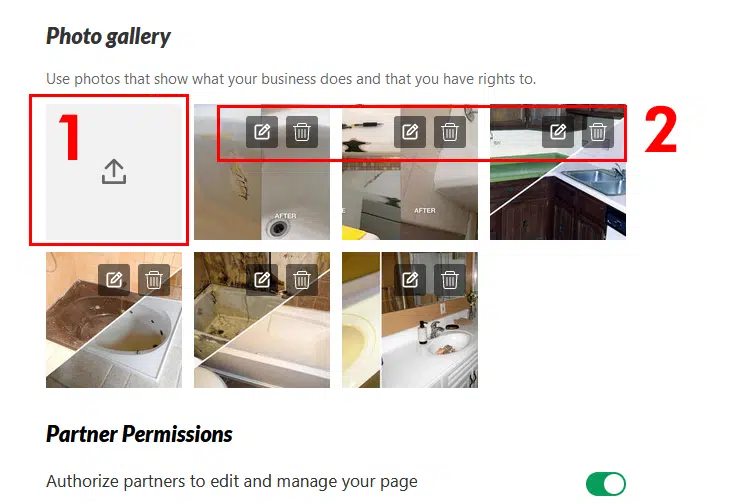
Farther down the page is the partner permissions slider, you can choose to stop your business partners from making changes by clicking on this slider.
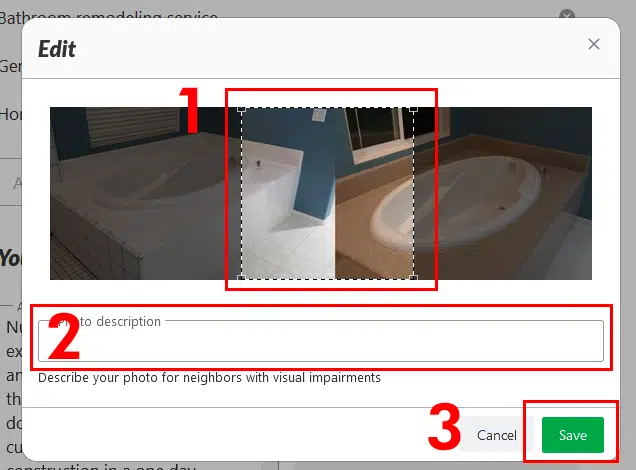
- You can make changes. If you want, you can choose to show only one part of the image or if you have a square image. You can show the whole thing. Nextdoor only allows you to use a square image, rectangular images will need to be cropped.
- There is also a text field that allows you to add a photo description, this is used for people with visual impairment. Normally the image description does not show up in the profile.
- When you are ready, click on the “Save” button to save the image.
Useful Links
Edit your Business page
https://help.nextdoor.com/s/article/How-to-fix-your-business-information?language=en_US