

LinkedIn Ad
Setting up an online ad
The setup process
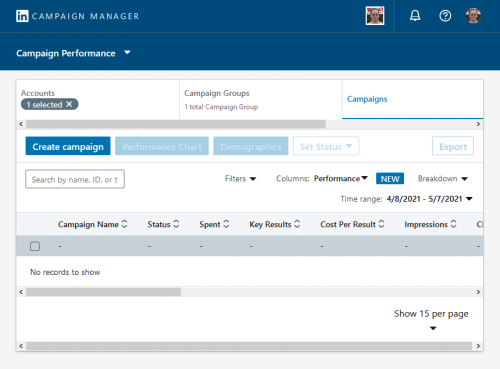
Setting up ads on LinkedIn is fairly similar to all other ads. Firstly, it is important to ensure that LinkedIn Campaign Manager is set up. Second, a Campaign Manager account should be created within the LinkedIn account we want to advertise. Finally, an ad campaign cannot be created without an ad manager account, so this is an important step.
- Create a new account: We will need to set up a Campaign Manager account.
- LinkedIn page: We will need a LinkedIn Page to link the ads to.
- Assign roles: Assign users to the Campaign Manager account, and assign permissions to the users.
- Account Removal: We can’t remove an account once it has been created.
- Billing: Setup Billing and payment method. We can’t run any ads without a valid credit card.
For further information:
The next step in setting up the ad campaign is to provide further information to the LinkedIn Ad Campaign setup wizard. Find out more about the specific information needed, click here.
Deciding On a Campaign Budget
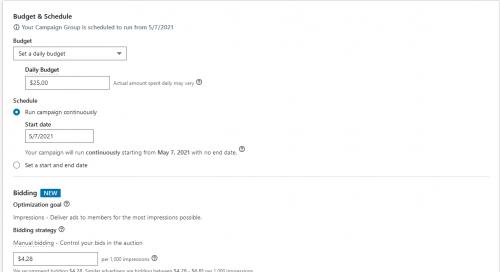
An advertising budget for the ad campaign will need to be chosen. The whole process is similar to Google Ads PPC and/or CPM. Bid type will need to be selected for each ad as well as the schedule (run time and date).
- Spending: Decide on how much we will be spending on advertising for each campaign set up. Multiple ads can be set up within each campaign we create. A LinkedIn ad campaign is similar to a Google Ad Campaign in that sense.
- Using CPC: Like Google Ads, we will need to submit a bid for each click. LinkedIn Ads use a PPC or CPM model.
- Using CPM: If we use CPC our account will be charged every time 1000 people view the ad i.e. CPM or cost per 1000.
- Automated bids: Automated Bids can also be implemented
Creating Content for Online Ads
The content for all ads needs to be planned out. Most of the time, imagery or videos will need to be created or provided. The decision of where the ads will run will determine what kind of ad will be used in the campaign.
- Ad content: Assemble content for the online ads that need to be built, keep in mind what the ads will be promoting.
- Plan each ad: Decide on what you are trying to promote and decide on what imagery, Ad Headline, Ad Description, and Destination URL will be used for each ad.
- Types of ads: Decide on what type of ads are going to be part of the campaign. The right ads for the various parts of the Linked in website need to be chosen.
- Where will ads run: Plan out where the ads will be running. Are we going to have text ads, sponsored content, dynamic ads?
For more information: Click here